A church event planning checklist should do more than remind you to reserve the fellowship hall and order food. It should help a ministry team connect the event to the church’s purpose. It should also help the team coordinate with other church activities, welcome people, prepare volunteers, communicate clearly, and give people a suitable next step after the event.
This checklist is specifically for church events: newcomer lunches, ministry gatherings, outreach activities, classes, retreats, volunteer events, children’s or youth activities, and seasonal celebrations. Some items will not apply to your event. Use what fits your church, the people you hope to serve, and the kind of ministry taking place.
If you are planning a church event, use the free Church Event Planning Workbook . It helps your team define the event, assign the work, plan registration and communication, prepare the venue, coordinate event day, and review completed work.
Free printable PDF
Download the Church Event Planning Workbook
Use the six-page workbook to define the event, assign tasks, plan registration and communication, prepare the team and venue, coordinate event day, and review the event.
Download the event workbook PDF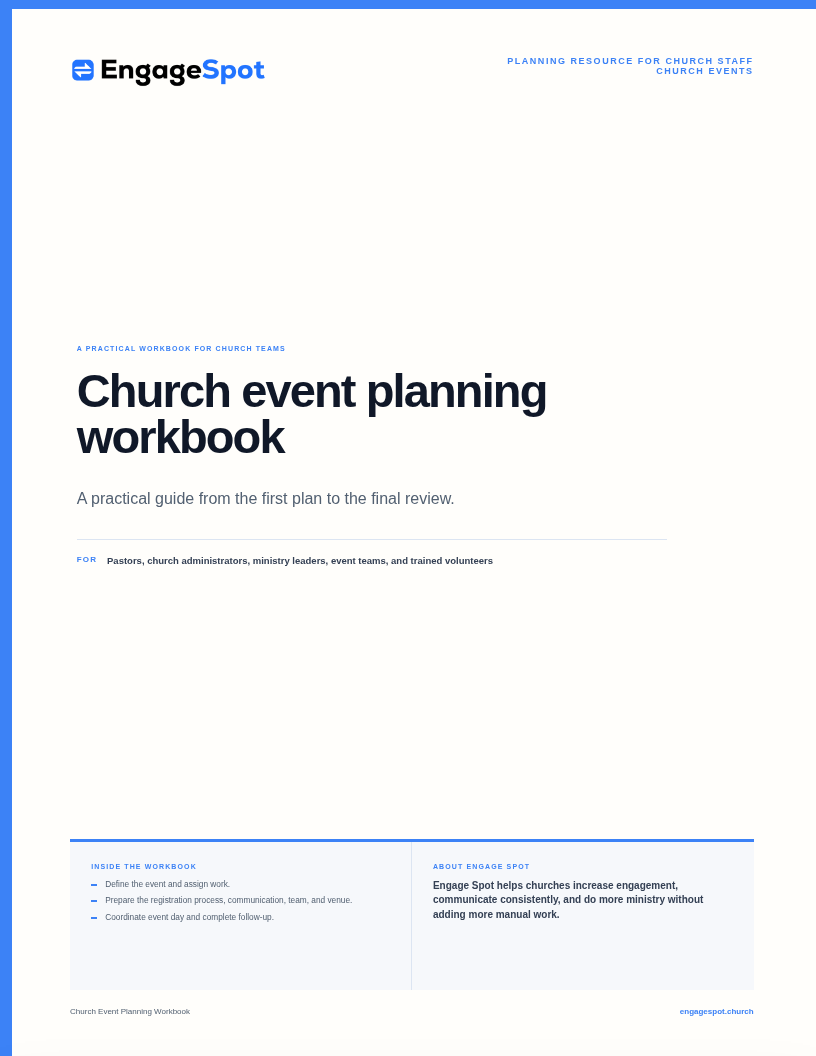
Church event planning checklist
Copy this master checklist into your planning document and assign each item to a person and a due date.
Purpose and approval
- Write the event’s ministry purpose in one sentence
- Identify the people the church hopes to serve
- Define the main ministry outcome or next step
- Confirm that the event supports the church’s priorities
- Name the ministry leader and event coordinator
- Obtain the appropriate pastoral, staff, or board approval
- Check the church calendar and ministry rhythms for conflicts
- Confirm the date, start time, end time, and church space or venue
- Identify the church ministries, staff, or community partners that need to be involved
- Decide who is responsible for pastoral care or ministry follow-up
Church calendar, budget, and facilities
- Reserve the room or add the event to the approved church calendar
- Confirm which ministry budget will cover the event
- Estimate the applicable costs for food, supplies, childcare, speakers, printing, and facilities
- Follow the church’s procedures for purchases, reimbursements, and financial controls
- Confirm who can approve changes to the budget
- Ask the facilities lead about requirements for setup, cleaning, keys, alarms, and use of the building
- Review rental agreements, insurance requirements, and local requirements if the event is at a different site or open to the public
Venue and logistics
- Confirm the church room or venue capacity
- Check for conflicts with worship rehearsals, regular ministries, funerals, weddings, or other church uses
- Create the room layout
- Plan setup and teardown times
- Reserve tables, chairs, staging, and other equipment
- Confirm washrooms and handwashing facilities
- Review entrances, exits, parking, drop-off, and public transit information
- Review accessibility for participants, volunteers, and presenters
- Plan wayfinding and on-site signage
- Confirm the needs for heating, cooling, lighting, power, and internet access
- Arrange cleaning, waste, recycling, keys, alarms, and building lockup
- Identify weather alternatives for outdoor activities
Program and hospitality
- Create the program or ministry agenda
- Confirm the pastors, ministry leaders, speakers, musicians, and facilitators that the event needs
- Decide where to include prayer, worship, testimony, teaching, discussion, and a ministry invitation, as applicable
- Confirm who will respond if someone requests prayer or pastoral care
- Write an event-day schedule
- Plan arrival, welcome, transitions, breaks, and dismissal
- Decide whether childcare will be offered and follow the church’s safeguarding procedures
- Plan food and beverages
- Ask about relevant dietary and accessibility needs
- Confirm food preparation, service, storage, and cleanup responsibilities
- Prepare the name tags, handouts, ministry resources, and participant materials that you need
Registration and information
- Decide whether registration is needed
- Publish complete event details in one reliable place
- Ask only for information the church actually needs
- Explain how contact information will be used
- Collect communication consent where required
- Set registration opening and closing dates
- Set capacity and decide how to handle a wait-list
- Send a confirmation with essential details
- Name the person responsible for registration questions
- Protect personal, medical, and pastoral information appropriately
- Give prayer, care, baptism, serving, and other ministry responses to the responsible leader
- Plan for check-in, people who arrive without registration, cancellations, and people who do not attend
Communication and promotion
- Identify the main audience and other audiences
- Write the event’s main invitation and next step
- Keep current event information in one place
- Create a communication schedule that the team can complete
- Choose channels based on the audience
- Prepare the website, email, text, social media, Sunday announcement, print, and team messages that you need
- Assign a person responsible and a due date to each message
- Send useful reminders to registered participants
- Decide how to communicate changes to the schedule or venue and changes caused by weather
- Identify who will monitor and answer replies
Volunteers and staff
- List every role and shift
- Write clear responsibilities for each role
- Recruit enough people to set up, run, and clean up the event
- Complete the screening and training that the church and the role require
- Assign team leaders
- Share arrival times, locations, parking, clothing, and contact details
- Give volunteers their instructions
- Explain emergency and incident procedures
- Prepare a contact list and choose how the team will communicate on event day
- Plan breaks, water, meals, and volunteer care
- Thank volunteers after the event
Safety and backup planning
- Identify foreseeable hazards and who could be affected
- When appropriate, review the plan with the church’s insurer or qualified advisers
- Confirm first-aid arrangements and emergency contacts
- Identify the event-day safety lead
- Review fire exits, evacuation routes, and assembly areas
- Make backup plans for severe weather, medical incidents, missing children, disruptive behavior, and other applicable situations
- Confirm how staff and volunteers will communicate during an incident
- Know who can pause or cancel the event, start an evacuation, or end the event
- Prepare an incident-recording process
- Tell vendors and outside partners about the safety procedures that apply to them
Worship, program, and technical needs
- Confirm which pastors, hosts, worship leaders, speakers, and ministry facilitators the event needs
- List the needs for sound, projection, lighting, presentations, and music
- Schedule church production volunteers and confirm they can support the plan
- Gather slides, videos, music, and presentation files before event day
- Check the church’s permissions for music, video, photography, and other media
- Schedule a rehearsal or technical test when needed
- Prepare a simpler backup plan if equipment fails
Final week and event day
- Reconfirm the church space, ministry leaders, speakers, staff, and volunteer leaders
- Review registrations, newcomer information, and participant needs
- Send the final participant reminder
- Distribute the event-day schedule and contact list
- Pack and label supplies
- If the team will collect money, confirm the procedures for offerings, fees, and cash
- Walk through the church space or venue
- Test equipment
- Set up registration, information, and first-aid locations
- Give volunteers their instructions before participants arrive
- Record incidents, changes, and useful notes during the event
- Complete teardown, cleaning, lockup, and equipment return
Follow-up and review
- Thank participants, volunteers, presenters, and partners
- Provide promised resources or next steps
- Respond to unanswered questions and pastoral needs
- Complete payments, reimbursements, and budget reconciliation
- Return borrowed or rented items
- Store or dispose of participant information appropriately
- Hold a short team review
- Record what worked, what did not, and what should change
- Save the final checklist, event-day schedule, files, and notes for the next event
How to plan a church event step by step
1. Begin with the purpose, not the program
Before choosing decorations, speakers, food, or a theme, write down why the event should exist.
A useful event plan answers these questions:
- Who is this for?
- What need or opportunity does it address?
- What should be different after the event?
- What is the next step for someone who participates?
- Why is an event the right format?
“Host a newcomer lunch” is an activity, not a ministry purpose. A clearer statement might be: “Give people who are new to the church a comfortable way to meet leaders, ask questions, and choose an appropriate next step.” That statement helps the team decide what belongs in the event, what information to collect, and who should follow up.
Also ask whether the event supports the church’s current priorities and whether the ministry has the capacity to run it well. A smaller gathering with a clear purpose is often more useful than a larger program the church cannot staff, communicate, or follow up.
2. Create a short event plan and get approval
Do not promote an event before its essential details and internal approval are settled. A short event plan gives the planning team, facilities staff, finance team, and communication team the same information.
Use this short table to begin the event plan. Use the full Church Event Planning Workbook when your team is ready to assign the work and record each decision.
| Event field | Decision |
|---|---|
| Event name | |
| Ministry purpose | |
| People the church hopes to serve | |
| Date and location | |
| Person responsible for the event | |
| Budget and approval | |
| Main backup plan |
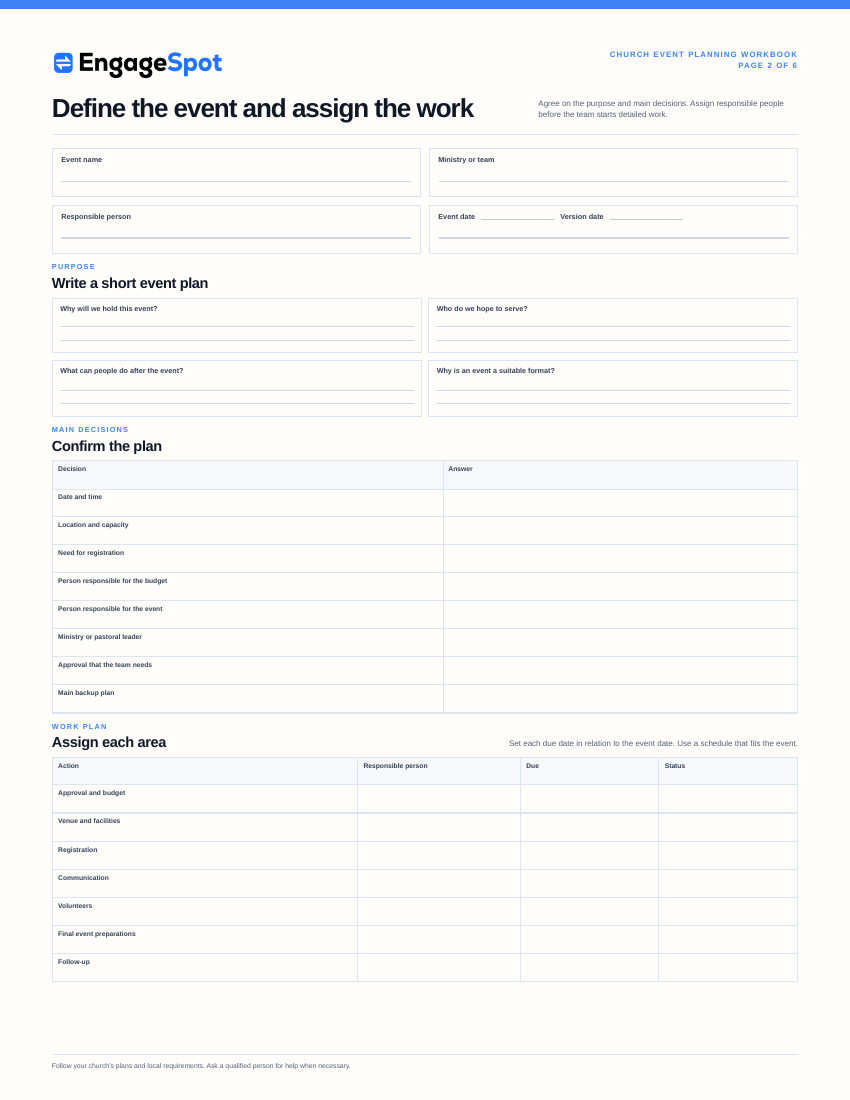
A ministry event planning checklist published by First Baptist Church begins with many of these same fundamentals: the hosting ministry, event description, date, location, coordinator, audience, message, objective, staff setup requirements, and approval. The exact approval route will vary, but agreeing on the facts early is broadly useful.
3. Build the church budget and timeline together
The program, ministry budget, church calendar, and planning schedule affect one another. The fellowship hall may already be used by a weekly ministry. A pastor or speaker may need the date confirmed well ahead. The communications team may need final details before it can announce registration. Food, childcare, transportation, or printed materials may require early decisions.
Build a simple church event budget with the items that apply:
- Food and hospitality
- Pastor, speaker, musician, or facilitator expenses
- Ministry resources, participant materials, and supplies
- Sound, projection, printing, and signage
- Childcare or transportation
- Church facility or off-site venue costs
- Registration or payment-processing costs
- A reasonable amount for unexpected costs
Identify the ministry budget, record who can approve spending, and follow the church’s normal process for purchases, receipts, invoices, reimbursements, offerings, and cash. Do not create a separate financial process just for the event.
Then build the schedule back from the event date. Avoid a universal rule such as “every event needs eight weeks.” The time that you need depends on the event size, available venues and presenters, approval process, risks, and how much notice participants need.
| Planning point | Decisions to complete |
|---|---|
| Before announcing | Purpose, person responsible, approval, date, location, budget, audience, one place for current event information, and registration decision |
| Before registration opens | Complete event information, capacity, form fields, confirmation, payment process, review of personal information, and person responsible for responses |
| Before promotion begins | Main invitation, communication plan, graphics or materials, deadlines, and follow-up process |
| Before the final week | Volunteer assignments, vendor confirmations, participant needs, event-day schedule, safety plan, supplies, and reminder messages |
| Before doors open | Venue walk-through, setup, technical test, check-in, signs, team instructions, and emergency contacts |
| After the event | Thanks, promised follow-up, financial closeout, team review, records, and improvements |
4. Plan the venue around people’s experience
Walk through the event from the perspective of a newcomer to the church, a regular attender, a parent, a volunteer, a ministry leader, and a person with accessibility needs.
Ask:
- Can people find the correct entrance?
- Is accessible parking and an accessible route available?
- Are doors, aisles, seating, washrooms, and activity areas usable?
- Will participants know where to register, leave coats, find childcare, or ask a question?
- Is the room capacity appropriate for the expected attendance?
- Are sound, sightlines, lighting, temperature, and ventilation suitable?
- Who opens, closes, cleans, and resets the building?
- What changes if the weather affects travel or an outdoor activity?
Do not treat accessibility as a final inspection item. It can affect venue selection, registration questions, room layout, communication, staffing, and program design.
5. Address safety, safeguarding, and local requirements
Safety planning should match the activity rather than rely on a generic form. Food service, transportation, children’s activities, outdoor activities, large crowds, candles, inflatables, and overnight stays have different risks.
Review the event with the people responsible for facilities, protection of vulnerable people, insurance, finance, and governance. Depending on the event and jurisdiction, you may also need advice from the church’s insurer, venue, municipality, health authority, fire service, and other qualified professionals.
Do not assume requirements are the same across Canada and the United States—or between provinces, territories, states, and municipalities.
At minimum, decide:
- Who is the event-day leader?
- Who is responsible for safety decisions?
- How will the team call for medical or emergency help?
- Where are exits, assembly areas, first-aid supplies, and emergency information?
- How will staff and volunteers communicate?
- Who can cancel or pause the event, start an evacuation, or end the event?
- How will participants be notified of a cancellation or urgent change?
- How will an incident be documented and escalated?
The Presbyterian Church in Canada’s Emergency Planning Guide for Churches is a useful starting point for thinking about church leadership, facilities, volunteers, communication, and care during an emergency. Use the procedures adopted by your own church and the applicable guidance for your location.
For larger church gatherings, Church Law & Tax also recommends reviewing approvals, venue logistics, budgeting, safety, volunteer coordination, technical production, hospitality, and post-event follow-up.
6. Make registration as simple as the event allows
Not every gathering needs registration. A regular open service may only need clear public information. Registration is useful when the ministry team needs to manage capacity, prepare materials or meals, arrange childcare, communicate changes, or know who requested a ministry next step.
Ask only for information that supports a real event need. A basic registration may require only a name, contact method, number attending, and communication preference. Other events may appropriately need age group, dietary information, accessibility needs, emergency contacts, consent, and other necessary details.
For every field, ask:
- Why do we need this?
- Who can see it?
- How long should we keep it?
- Does the person understand how it will be used?
- Is there a safer or less intrusive way to accomplish the same task?
Plan what happens immediately after registration. The confirmation should repeat the date, time, location, what to bring, relevant arrival instructions, and how to ask a question. It should not force people to search for information they already submitted a form to receive.
Engage Spot church event registration can publish event pages, collect signups, send confirmations and reminders to people who have chosen to receive them, and keep text replies in each person’s conversation history.
7. Create the communication plan before promotion begins
Event communication is part of event planning, not a task to add after every other decision has been made.
Use the church communication plan template to identify:
- The main audience and other audiences
- The event’s one main invitation and next step
- One place for current event details
- Communication channels
- Dates to publish and promote the event, send reminders, and give updates
- The person responsible for each item
- The person who will answer questions and replies
Choose channels based on the audience and message. A church-wide email may suit a congregation-wide gathering. A direct message to parents may be better for a children’s ministry update. Public social posts may help a neighbourhood event, while detailed volunteer instructions belong in a team channel.
Prepare for changes before they happen. Decide who updates the event page, who sends a message to registrants, who posts an on-site notice, and who answers replies if the weather causes a change or if venue, timing, or program details change.
8. Give volunteers roles, not vague requests for help
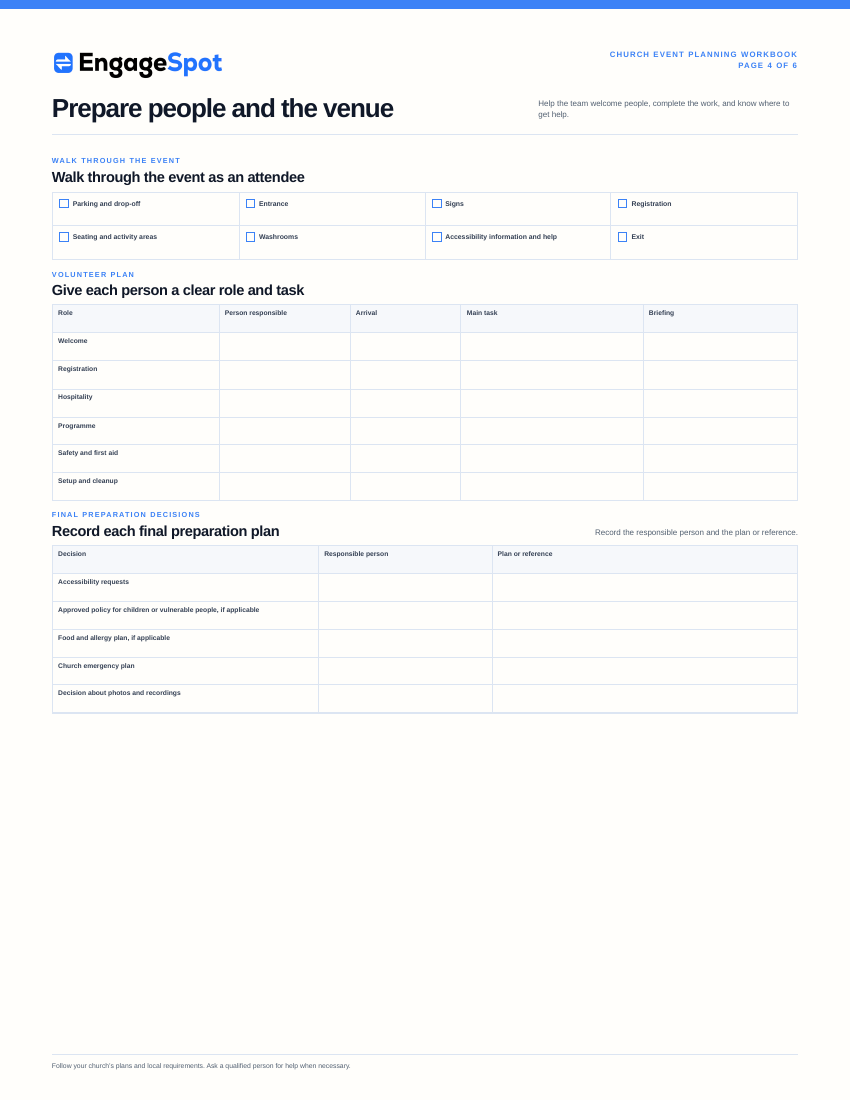
“Volunteers needed” does not tell people what they are agreeing to do. List specific roles with arrival time, end time, responsibilities, team leader, location, physical requirements, training, and any screening required by the church.
Possible roles include:
- Setup and teardown
- Parking and arrival
- Welcome and wayfinding
- Registration or check-in
- Hospitality and food service
- Childcare or children’s activities
- Technical production
- Support for pastors, speakers, and ministry leaders
- Prayer and response team
- Safety and first aid
- Cleanup and church facility reset
Give every volunteer short instructions before participants arrive. Explain the event’s purpose, schedule, and the limits of each role. Tell volunteers who makes decisions, how the team communicates, where to direct questions, and what to do in an emergency.
Also plan for volunteer care. Long events may require breaks, water, meals, weather protection, or shift changes. A complete staffing plan includes those details.
9. Write an event-day schedule
The checklist tracks what must be prepared. The event-day schedule explains what happens during the event. Some teams call this a run sheet.
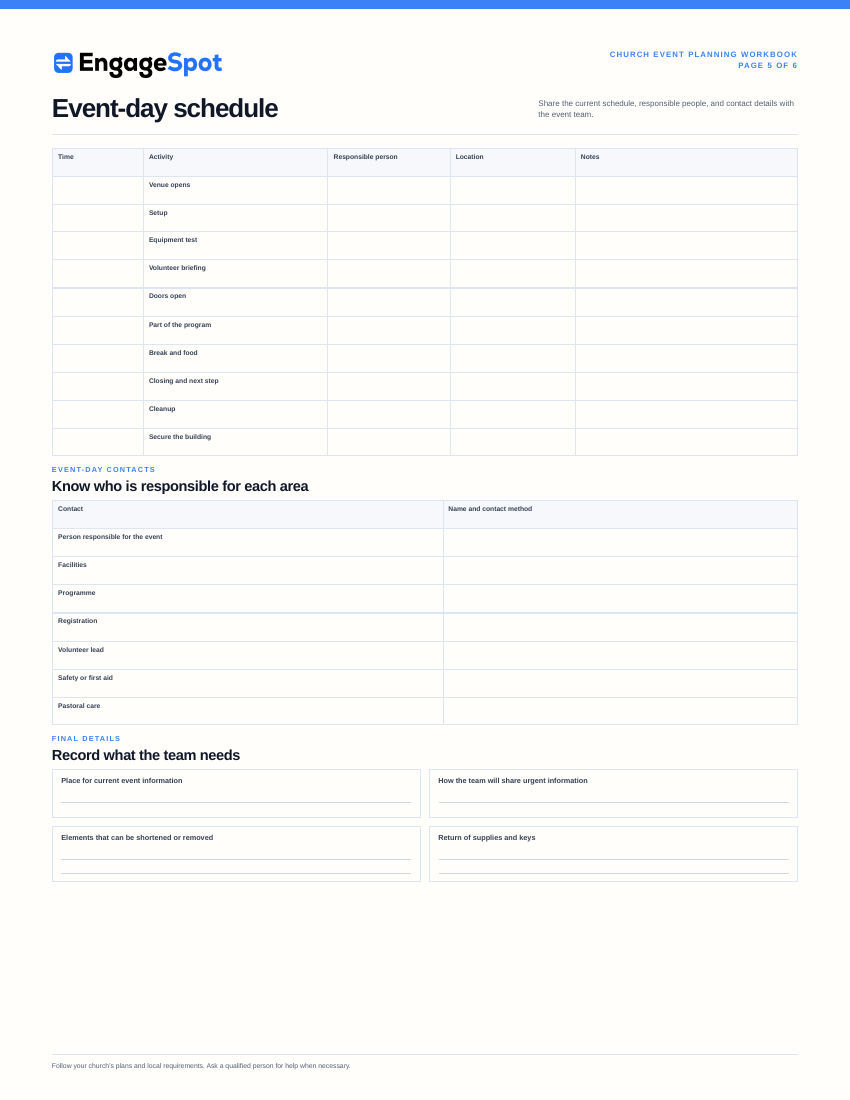
A useful event-day schedule includes:
| Time | Activity | Person responsible | Location | Notes and required prior work |
|---|---|---|---|---|
| Venue opens | ||||
| Setup begins | ||||
| Technical test | ||||
| Volunteer check-in and instructions | ||||
| Participant doors open | ||||
| Program parts and transitions | ||||
| Food or break service | ||||
| Closing and next step | ||||
| Teardown and cleanup | ||||
| Building secured |
Include contact information for the event coordinator, facilities contact, ministry leaders, technical lead, safety lead, and pastoral-response lead. Share only the personal information each recipient needs.
If the schedule slips, the person responsible for the event should know which elements can be shortened or removed. An event-day schedule is a coordination tool, not a reason to rush people through a meaningful pastoral moment or ignore a safety concern.
10. Plan follow-up before the event
The event is not complete when the room is empty.
Decide in advance:
- Who thanks participants, volunteers, presenters, and partners?
- Who welcomes or follows up with newcomers?
- Who answers unresolved questions?
- Who responds to prayer, care, baptism, serving, group, and other ministry interests?
- What promised ministry resources need to be sent?
- What church financial or administrative tasks remain?
- What participant information should be retained or removed?
- When will the team review the event?
Life.Church’s open event-planning resources separate the work into a project manager checklist, schedule, registration checklist, food and drink planning, and event review. This example shows that teams must assign follow-up and review work as clearly as setup work.
Keep the team review short so that the team can complete it. Ask:
- Did the event accomplish its stated purpose?
- What helped participants feel informed, welcomed, and able to take part?
- What questions, delays, incidents, or points of confusion occurred?
- What should we keep, change, or stop next time?
- Who will update the saved checklist and files?
Write down the answers. The notes are most valuable when the next planning team can find them.
Frequently asked questions
What should be included in a church event planning checklist?
Include ministry purpose, church approval, assigned responsibility, budget, facility needs, hospitality, accessibility, registration, church communications, volunteers, safeguarding, safety, program needs, pastoral follow-up, and a ministry team review. Adjust the checklist to the event’s size, audience, activities, and location.
How far in advance should a church plan an event?
There is no single lead time for every church event. Begin early enough to secure church approval, a place on the ministry calendar, a room, budget, ministry leaders, volunteers, childcare, communication support, and reasonable notice for participants. A retreat or major seasonal event may require months, while a small recurring ministry gathering may need only a few weeks.
What is the difference between an event checklist and an event-day schedule?
The event checklist tracks planning tasks and deadlines before and after the event. The event-day schedule shows what happens, when and where it happens, and who is responsible for each part.
Does every church event need registration?
No. Use registration when it serves a ministry purpose such as capacity, meals, materials, childcare, participant communication, or an appropriate next step. If registration is unnecessary, publish clear event details and provide a way for people to ask questions.
Who should be responsible for a church event?
Name one person who has the authority to coordinate event decisions. Other leaders can be responsible for the budget, program, facilities, communication, volunteers, registration, safety, and follow-up. The team must know who has final responsibility on event day.
Use the checklist, then improve it
A checklist cannot make every event predictable, but it can make responsibilities and decisions visible. Start with the master list, remove what does not apply, add the requirements of your church and location, and assign every remaining item to a person and due date.
After the event, update the checklist while the details are still fresh. That turns one event’s work into a better starting point for the next team.