A church social media content calendar tells your team what to post, when to post it, and who is responsible. It also gives the team time to check facts, permissions, and pastoral risks before publication.
The calendar must support ministry work. It must not become a demand for constant content. Start with a plan that your staff and volunteers can maintain.
Download the church social media content calendar kit first. Use its weekly and monthly worksheets to prepare events, sermon content, church stories, and public information.
Use the church social media content calendar kit
The free kit gives your team a complete planning process. Use the printed or digital worksheets during a staff or volunteer planning session.
Free printable PDF
Download the church social media content calendar kit
Use the seven-page kit to plan a sustainable week and month, balance content, prepare individual posts, complete safety checks, and record improvements.
Download the calendar kit PDF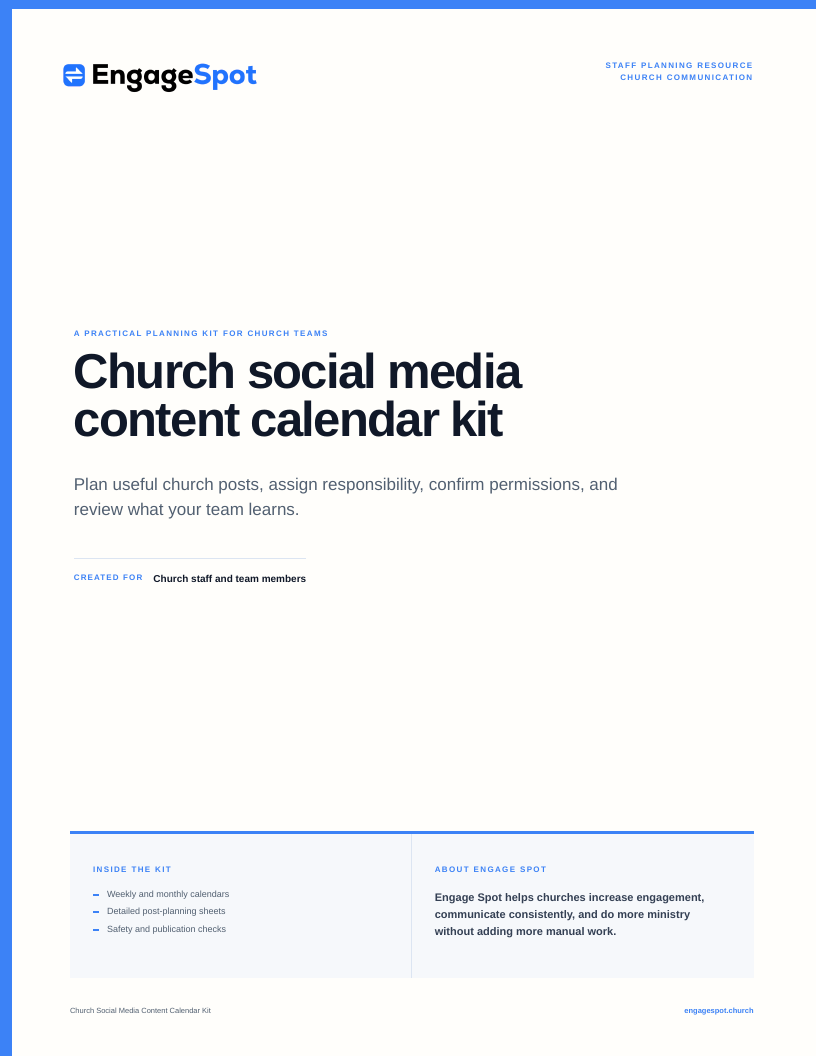
The kit contains these seven pages:
- A cover and short guide
- A weekly content calendar
- A monthly calendar
- A content-balance worksheet
- A detailed post-planning table
- A publication and safety checklist
- A monthly review worksheet
Plan a sustainable week
Start with the weekly calendar in the kit. Select only the days that your team can support.
A simple church schedule can include:
- A sermon post after Sunday
- A prayer or ministry post during the week
- A service-information post before the weekend
- An approved welcome or church-life post on Sunday
Leave a space for corrections or an approved public response. Do not fill every day only because the calendar has space.
A weekly view helps your team see the full schedule and notice gaps or repeated content. Treat example calendars as starting points, and do not use old platform limits or posting assumptions as fixed rules.
Plan the month
Use the monthly calendar to record church dates before you plan posts. Add worship services, sermon series, ministry events, registration deadlines, volunteer needs, and public information.
Then use the post-planning table for each approved post. Record the audience, goal, main action, link, asset, writer, approver, publisher, and status.
Check the content balance
Use the content-balance worksheet to compare the planned categories. The worksheet includes worship, prayer, church stories, events, volunteers, community information, and welcome content.
Do not give each category the same amount. Select the categories that support current church ministry.
ResourceUMC groups church content as timely, weekly, evergreen, and response content. It also recommends advance planning for content that does not require an immediate response. Use these types to check the plan. Keep space for a pastoral or public response that the church cannot prepare in advance.
Complete the final checks
Use the safety page before publication. Confirm the facts, permissions, safeguarding requirements, account access, and response owner.
At the end of the month, use the review page. Record what the team must stop, continue, or change.
Set goals and audiences before you fill the calendar
A church social media strategy needs a small number of clear goals. Each goal must connect to the work of the church.
Possible goals include:
- Give correct service and event information to local people.
- Help regular attenders take part in worship, groups, prayer, and service.
- Help new people know what to expect before a visit.
- Show how a ministry serves people, with suitable permission.
- Recruit people for approved volunteer roles.
- Give timely public information during a closure, emergency, or community event.
Do not use “get more engagement” as the only goal. A post can receive few public reactions and still give essential information to the people who need it.
Name the audience for each post. Useful church audiences include:
- People who are considering a first visit
- Regular attenders and church members
- Parents and caregivers
- Youth, with all required safety controls
- Volunteers and ministry leaders
- People who need a specific ministry or community service
- Local neighbours and community partners
Do not write every post for “everyone.” A training reminder for children’s ministry volunteers needs a direct team channel. It does not need a public social post. A Christmas service invitation can have a public audience.
Use the church communication plan template to connect social media with the church website, email, text, Sunday notices, and team communication.
Choose a sustainable posting frequency
No universal posting frequency is correct for every church. Your frequency depends on staff time, volunteer time, approval needs, available stories, and the care needed for replies.
Calculate capacity before you choose a schedule:
- List the people who can plan, write, design, check, publish, and respond.
- Record the hours that these people can give each week.
- Include time for consent, fact checks, captions, links, and replies.
- Reduce the plan during holidays, staff leave, major events, or pastoral pressure.
- Keep capacity for corrections and urgent public information.
Start with one or two useful posts each week if one person has limited time. Add more only when the team can keep the content accurate and safe. Do not publish filler to meet a target.
A content calendar can reduce rushed work and keep a team aligned. Both ResourceUMC and Tithely describe these planning benefits. Their examples can provide ideas. Your church must set its own frequency, channels, controls, and measures. No schedule or tool guarantees reach, attendance, or participation.
Use clear church content categories
Content categories help the team plan a useful mix. They also make gaps visible.
Use categories that match your church ministry:
- Worship and sermon context
- Prayer and faith formation
- Church stories and testimony
- Welcome and visitor information
- Events and schedule information
- Volunteers and ministry teams
- Local service and community information
- Pastoral or public response
- Seasonal church life
- Governance or practical church information
Do not give every category the same amount of space. A month with Easter services will need more service information. A volunteer training month may need more role and safety information.
50 church social media post ideas
Each idea below tells you what to post. Adapt each one to your church calendar, ministry practice, permissions, and local context.
Worship and sermon content
-
Share one sermon point with its context. State the Bible passage, explain the point in two or three sentences, and name one suitable action or reflection. Link to the full sermon when it is available.
-
Post a short sermon preview. Ask the preacher to explain the coming passage and the main question that the sermon will address. Do not use a vague quote that promises a result.
-
Explain a part of the worship service. Describe why the church uses a prayer, reading, song, creed, offering, or time of silence. Write for a person who has not attended before.
-
Share the Sunday Bible readings. List the references and give one simple prompt for reading them before the service. Check the references against the approved service plan.
-
Publish a sermon follow-up resource. Share the discussion questions, reading list, family prompt, or practice that the ministry team prepared. State who created it and how the church will use it.
Prayer and faith formation
-
Share a public prayer prompt. Name a church, local, or world concern that is already public. Give a short prompt without identifying a person who requested private prayer.
-
Post a written prayer from an authorized church leader. Keep the prayer suitable for public use. Do not present private pastoral information as content.
-
Explain how to request prayer. State who receives requests, how the church protects sensitive details, and when a person can expect a response. Link to the approved prayer request page or contact method.
-
Introduce a weekly spiritual practice. Give clear instructions for a short practice such as reading a Psalm, praying for neighbours, or keeping a period of silence. Explain how it connects to current church teaching.
-
Share a group study question. Post one question from an approved church study guide. Include the Bible passage and enough context for a person who is not in a group.
Church stories and testimony
-
Tell an approved baptism story. Let the person describe the decision and the church’s role in the person’s own terms. Confirm consent for the words, images, name, and publication channels before posting.
-
Share a member’s ministry story. Explain what the person does, why the work matters to the ministry, and how others can learn more. Let the person check the final text before publication.
-
Report a completed service project. State what the church or partner did, who organized it, and what the next approved need is. Use confirmed facts and avoid images that remove dignity from people who received help.
-
Mark a church anniversary with a verified record. Use an approved archive photo, date, or document. Explain what happened and why it is relevant now. Do not guess names or details.
-
Share a partner organization’s account. Ask the partner for approved facts, images, and links. Focus on the partner’s work instead of using the story only to praise the church.
Welcome and visitor information
-
Show what a first Sunday visit includes. State service times, entrance, parking or transit details, length, children’s arrangements, accessibility information, and what a visitor can wear or bring.
-
Introduce a welcome team role. Show where visitors can find the team and what help the team provides. Use an approved photo that does not expose visitor information.
-
Give an accessible building guide. Show the step-free entrance, accessible parking, washrooms, hearing support, seating, or other confirmed features. State how a person can ask about a need before arrival.
-
Explain children’s check-in without showing children. Show signs, rooms, or an adult leader where policy permits. Explain the secure check-in and collection process without publishing security details that should remain private.
-
Answer one common visitor question. Give a direct answer about communion, service format, transport, language, seating, or another real question. Link to the complete visitor page for current details.
Events and church calendar
-
Publish a complete event invitation. Include the purpose, audience, date, time, place, cost, access information, childcare details, registration deadline, contact, and one clear next step when these items apply.
-
Post an event reminder with new value. Add a confirmed speaker detail, programme item, preparation note, or deadline. Do not repeat the same image and incomplete text.
-
Introduce an event leader or facilitator. Explain the person’s role and the subject that the person will cover. Use an approved biography and photo.
-
Share an event preparation guide. Tell registered people what to bring, where to arrive, when doors open, and whom to contact. Use direct communication as well when only participants need the details.
-
Post an event change or cancellation. Put the changed fact first. State the new plan, update the main event page, and tell people how to get help. Remove or correct old scheduled posts.
For more event fields and safety checks, use the church event planning checklist .
Volunteers and ministry teams
-
Explain one volunteer role. State the tasks, schedule, training, screening, support, and contact person. Do not describe the role only as an urgent need.
-
Show a ministry team at work. Explain what the team is preparing and how the work supports worship, care, teaching, or service. Get consent from each identifiable person.
-
Thank volunteers for specific work. Name the completed task and its ministry purpose. Do not publish names or images unless the volunteers agreed to public recognition.
-
Invite people to a volunteer information session. State what people will learn, whether attendance creates a commitment, and which roles require screening or training.
-
Share a short skill lesson from a ministry leader. Ask an audio, hospitality, worship, facilities, or care leader to explain one safe and useful practice. Do not publish restricted procedures, access codes, or personal data.
Community and public information
-
Share confirmed local service information. Post the hours, eligibility, location, contact, and official link for a food programme, shelter, cooling space, or other service. Check the information with the provider before publication.
-
Publish a church closure notice. State the affected service or activity, date, reason when appropriate, and next update time. Use the website as the current record and correct all scheduled posts.
-
Explain a community partnership. Name the partner, the agreed work, and the correct way to participate. Let the partner approve facts about its services.
-
Post public emergency information from an official source. Link to the local authority, emergency service, or service provider. Add church information only when a designated leader has approved it.
-
Invite neighbours to a public church facility. Explain the purpose, opening hours, access, supervision, and conduct requirements for a community meal, garden, warm space, or similar approved use.
Pastoral care and ministry boundaries
-
Explain how to contact a pastor or care team. State the approved contact method, normal response time, and emergency limits. Do not ask people to place sensitive needs in a public comment.
-
Share a care resource with a clear limit. Link to an approved grief, mental health, family, or crisis resource. State whether it comes from the church or an external qualified service.
-
Post a general pastoral note after a public event. A designated leader can acknowledge the event, offer a public prayer, and list suitable support. Do not disclose private conversations or speak before facts are confirmed.
-
Explain direct-message boundaries. Tell people that the account is not an emergency service and that messages are read by an authorized team. Give a safer private contact route for pastoral matters.
-
Describe the church complaint or safeguarding contact route. Link to the approved policy or contact. Tell people not to submit confidential details in public comments.
Seasonal church life
-
Publish an Advent, Lent, or other seasonal reading plan. Give the dates, readings, author or source, and a simple daily instruction. Confirm that the church can reproduce any quoted material.
-
Explain a holy day or church season. State what the church observes and how it will mark the day. Use terms that a person outside the church can understand.
-
Share seasonal service information as a clear set. Put all confirmed dates, times, locations, access details, and children’s arrangements in one post and on one current web page.
-
Show approved preparation work. Share how adults prepare music, flowers, food, liturgy, facilities, or welcome materials for a church season. Avoid images of children or restricted areas unless all controls are complete.
-
Post a seasonal service project update. State the requested items or action, the receiving partner, the deadline, and the reason for the stated requirements. Remove the request when the need ends.
Participation and useful responses
-
Ask one ministry planning question. Ask about a real choice that the church can review, such as a class time or a needed community topic. Explain who will read the responses and do not imply that the most popular comment makes the decision.
-
Invite questions for an approved church topic. Name the pastor or leader who will answer, set a closing date, and give a private route for personal or sensitive questions.
-
Share a church survey with a defined purpose. State who should respond, how long it takes, how the church will use the answers, and when the survey closes. Collect only necessary information.
-
Post a practical next step after a ministry update. Invite people to register, give an approved item, attend training, contact a leader, or pray for a stated need. Use one clear action and a current link.
-
Publish a monthly summary and next-month guide. List selected ministry work, service information, events, and useful links. Use confirmed results, protect personal information, and state the main dates for the next month.
Use sermon content with enough context
A short sermon clip can change meaning when it is separate from the sermon. A quote image can have the same problem.
Before you publish sermon content:
- Identify the Bible passage and sermon date.
- Keep the speaker’s meaning intact.
- Include the statement that comes before or after the selected clip when it is needed.
- Ask the preacher or teaching lead to check sensitive or complex extracts.
- Add captions and a clear title to video.
- Link to the full sermon or transcript when it is available.
- Confirm permissions for music, readings, video, and other material in the recording.
- Do not use a strong statement only because it may get more reactions.
A sermon post should help a person understand the teaching. It should not turn pastoral teaching into a disconnected slogan.
Protect prayer, pastoral care, and church stories
Prayer requests and pastoral conversations often contain private information. Public social media is not a suitable place for many details.
Use these boundaries:
- Get specific permission before you share a prayer request, answer, testimony, or care story.
- Confirm which names, words, images, and channels the person approves.
- Do not treat consent to tell a story in a service as consent for social media.
- Let the person review a personal story before publication.
- Do not publish health, family, immigration, financial, or safeguarding details without suitable authority and a valid ministry reason.
- Do not promise confidentiality in a public comment or direct message.
- Move pastoral care to the church’s approved private process.
- Escalate a threat of harm or a safeguarding concern under church policy. Do not manage it only through social media.
The United Church of Canada guidance states that normal ministry relationships, boundaries, and safe practices still apply on social media. Treat social spaces as ministry spaces with real risks, not only as broadcast channels.
Get photo and video consent
Create a written process for photos, video, names, and personal stories. Follow applicable law, denominational rules, insurer guidance, and church safeguarding policy.
Your process should state:
- Who can give consent
- What the consent covers
- Which channels the church can use
- How long the church keeps the consent record
- How a person can withdraw consent for future use
- Who checks consent before publication
- How the church records restrictions
Consent must be informed and specific enough for the planned use. A person may agree to appear in a private ministry update but not in a public post. Do not assume that attendance at a public worship service gives permission for a close image, name, or personal story.
Give people a clear way to avoid photography. Use crowd images only when they follow church policy and applicable rules. Check backgrounds for name tags, prayer cards, check-in screens, attendance lists, vehicle plates, and other personal information.
Safeguard children, youth, and vulnerable adults
The church’s safeguarding policy controls social content. The content calendar does not replace that policy.
The Church of England social media policy guide tells churches to maintain the safety of children, young people, and vulnerable adults online. It also identifies consent and consent records as policy subjects.
Use these minimum planning questions:
- Does church policy permit this image, video, name, quote, or direct interaction?
- Has the correct parent, guardian, carer, or person given the required consent?
- Can the post reveal a school, routine, location, medical need, care status, or other identifying detail?
- Does the image include a name tag, registration sheet, check-in screen, or access control?
- Are two authorized adults involved where policy requires them?
- Does an authorized safeguarding leader need to approve the post?
- Is the direct-message process suitable for contact with a child, youth, or vulnerable adult?
- Can a safer image of materials, adult leaders, or the room communicate the same information?
Do not ask a child or youth to solve a consent question. Do not use a public direct message for private pastoral contact with a minor. Record and report a concern through the approved safeguarding process.
Control account access and approval
A church account represents the church. Limit access to people who need it for an approved role.
Set these controls:
- Use church-owned account email addresses where the platform permits them.
- Give each authorized person separate access where the platform supports roles.
- Use strong, unique passwords and multi-factor authentication.
- Store recovery information in an approved secure system.
- Keep an access list with the person, role, platform, access level, and review date.
- Remove access promptly when a staff member or volunteer changes role.
- Do not share passwords through email, chat, or a planning calendar.
- Name a backup administrator for leave or emergencies.
- Keep a record of approvals for sensitive posts.
Define the approval level for each content type:
| Content type | Suggested church check |
|---|---|
| Routine service information | Church office or ministry owner checks facts |
| Sermon extract | Preacher or teaching lead checks context |
| Personal story or testimony | Person featured and ministry owner check words and consent |
| Children, youth, or vulnerable adult content | Safeguarding process and authorized approver apply |
| Pastoral or public response | Designated pastor or senior leader approves |
| Event information | Event owner checks details and communication owner checks the post |
| Correction | Information owner confirms the correction before publication |
The Church of England guide recommends a policy that applies to the church’s social platforms and to other online activity by staff and volunteers. It also notes that people can interpret personal posts as church views. Define when a leader speaks for the church and when a personal account remains personal.
Set a comment and direct-message response process
Publication creates a response duty. Assign a person to check comments and direct messages during stated times.
Create simple response levels:
| Message type | Response |
|---|---|
| Factual question | Answer from the approved page or ask the information owner |
| Event or access question | Give the current detail and update the main page if it is unclear |
| Prayer or pastoral request | Acknowledge it without repeating details and move it to the approved private route |
| Complaint | Confirm receipt and use the church complaint process |
| Safeguarding concern | Do not investigate in comments. Preserve the information and follow safeguarding policy at once |
| Threat of immediate harm | Follow the church emergency process and local emergency guidance |
| Spam, abuse, threat, or personal data | Apply the published moderation policy and keep a record when required |
| Media question | Send it to the designated church spokesperson |
Publish short community and moderation rules. State when the team may hide, remove, report, or preserve content. Do not remove respectful criticism only because it is difficult. Do not debate a pastoral case in public.
Set an honest response time. An account that is not checked outside church-office hours must say so. State that direct messages are not an emergency or crisis service.
Use a safe scheduling workflow
A scheduling tool can publish approved posts at planned times. It cannot check pastoral context, changed event details, or new consent limits.
Use this workflow:
- Plan: Add the audience, goal, category, date, owner, and main action to the calendar.
- Gather: Collect approved facts, links, images, captions, credits, and consent records.
- Write: Use plain language. Put the important church information first.
- Check: Verify names, dates, times, locations, access details, links, Bible references, and permissions.
- Approve: Use the approval level for that content type.
- Schedule: Preview the post on each selected platform. Check image crops, captions, links, and alt text.
- Monitor: Check the published post and assigned response channel.
- Correct: Correct an error clearly. Update or remove all affected scheduled posts.
- Record: Add a useful result, question, correction, or lesson to the calendar.
Review the schedule before each weekend and after major news. Pause a cheerful or promotional post when it could be insensitive. Do not automate a pastoral response.
Measure what is useful
Choose measures that relate to the post goal. Platform numbers can help, but they do not show the full ministry result.
Useful measures can include:
- Correct event-page visits from the post
- Registrations for the stated event
- Volunteer enquiries for the stated role
- Questions that show missing information
- Direct requests that reached the correct ministry owner
- Video completion or link use when it helps assess a teaching resource
- Saves or shares of practical church information
- Response time for comments and direct messages
- Corrections, consent problems, or safeguarding concerns
- Team hours needed to prepare and manage the content
Do not use follower count or reactions as proof of spiritual growth, ministry value, or attendance. Do not claim that social media caused an action unless your church has suitable evidence. Ask people how they found information when that question is useful and proportionate.
ResourceUMC notes that a calendar can hold engagement records and support later reporting. Use that function carefully. Record only data that helps the church make a decision. Do not collect personal data only to make a report larger.
Complete a monthly review
Set a short review meeting or written check at the end of each month.
Ask:
- Did each post support a church goal and a named audience?
- Did the team maintain the planned frequency without excessive work?
- Which information did people use, save, share, or ask about?
- Which posts led to a clear next step?
- Which questions showed that service, event, or access information was missing?
- Did any sermon extract lack context?
- Were all stories and images supported by the required consent?
- Did any content create a pastoral, privacy, or safeguarding concern?
- Did the response owner handle comments and messages within the stated time?
- Did account access and approvals work as planned?
- Which scheduled posts needed correction or cancellation?
- What should the team stop, continue, or change next month?
Record two or three decisions. Do not create a large report that the team will not use. Update the next calendar with what you learned.
Church social media planning checklist
Purpose and calendar
- Name one church goal and one primary audience for each post.
- Select a frequency that the team can maintain.
- Use content categories that fit current ministry work.
- Keep space for corrections and approved public responses.
- Link event and service posts to one current church page.
Content and facts
- Confirm names, dates, times, places, costs, deadlines, and links.
- Give sermon quotes and clips enough context.
- Use one clear next step when a next step is needed.
- Add captions, alt text, and readable on-image text.
- Check rights for music, readings, images, video, and quoted text.
Consent and safety
- Check consent for each image, video, name, quote, and story.
- Apply the church safeguarding policy before using content about children, youth, or vulnerable adults.
- Remove personal information from images and backgrounds.
- Keep prayer and pastoral details out of public content.
- Give people a private and approved contact route.
Team and approval
- Assign the writer, fact owner, approver, publisher, and response owner.
- Use secure account access and multi-factor authentication.
- Review the access list when roles change.
- Record approval for sensitive content.
- Name a backup publisher and response owner.
Publication and response
- Preview the post on each platform before publication.
- Test the link and check the image crop.
- Review scheduled posts when facts or public conditions change.
- Monitor comments and direct messages during stated times.
- Follow the complaint, emergency, and safeguarding processes when needed.
Review
- Record the result that relates to the post goal.
- Record repeated questions, corrections, and safety concerns.
- Review team workload and frequency each month.
- Choose a small number of changes for the next calendar.
Frequently asked questions
What is a church social media content calendar?
A church social media content calendar is a shared schedule for planned church posts. It records the audience, goal, content, publish date, owner, approval, asset, link, and result.
What should a church social media content calendar template include?
Include the publish date, audience, ministry goal, content category, post summary, main action, current link, image or video, consent status, writer, approver, publisher, status, and review note. Add a response owner for posts that can produce questions or care requests.
How often should a church post on social media?
Post only as often as your team can produce accurate, safe, and useful church content. Start with a small schedule. Review staff and volunteer time before you add posts. No frequency guarantees reach, participation, or attendance.
What are good church social media post ideas?
Useful ideas include sermon teaching with context, service information, prayer prompts, approved church stories, volunteer role details, event guidance, visitor information, and confirmed community resources. Select an idea because it supports a current church goal and audience.
How far ahead should a church plan social media posts?
Plan predictable content far enough ahead to confirm facts, create accessible assets, get consent, and complete approval. Keep response content flexible. Review all scheduled posts before important dates and after changed circumstances.
Can a church reuse sermon content on social media?
Yes, when the church has the required rights and the extract keeps the speaker’s meaning. Add the Bible passage and relevant context. Link to the full sermon when possible. Ask the preacher or teaching lead to check sensitive extracts.
Does a church need consent before posting photos?
The church needs a clear consent process that follows applicable law, church policy, safeguarding rules, and insurer or denominational guidance. Do not assume that attendance gives permission for a named image, close image, video, or personal story.
Who should approve church social media posts?
The approver depends on the content. The church office can check routine service facts. A teaching lead can check sermon context. A safeguarding approver must check protected content when policy requires it. A designated pastor or senior leader should approve pastoral and public responses.
How should a church respond to prayer requests in direct messages?
Acknowledge the request without repeating sensitive details. Move the request to the approved private pastoral process. State that direct messages are not an emergency service. Follow safeguarding or emergency procedures when the message shows a risk of harm.
Which social media measures are useful for a church?
Use measures that match the goal. Examples include event-page visits, registrations, volunteer enquiries, useful questions, resource use, response time, corrections, safety concerns, and team workload. Do not treat reactions or follower counts as proof of ministry impact.
A simple church social media calendar must make ministry communication safer and easier. Start with the weekly plan. Add only the posts that your team can prepare, approve, publish, and support well.