A church connection card is useful only when it helps a person begin a real conversation or take a meaningful next step. The goal is not to collect as much information as possible. It is to make it easy for someone to say, “I’m new,” “I have a question,” “I need prayer,” or “I’d like to get involved”—and to help the right church leader respond.
Connection cards are also called church visitor cards, welcome cards, guest cards, or next-step cards. They may be printed, digital, or both. Whatever format your church chooses, keep the card short, explain what will happen after it is submitted, and build the follow-up process before inviting people to use it.
If you are creating a new card or reviewing an existing card, use the free Church Connection Card Planning Kit . It helps your team choose the purpose, fields, contact choices, response owners, and final tests before you publish or print the card.
Four church connection card examples
These examples are starting points. Choose one clear purpose for each card rather than combining every possible ministry response into one long form.
1. First-time guest connection card
Use this when the main purpose is welcoming someone who is new and giving them a simple way to ask a question or hear from the church.
Suggested introduction:
Welcome. We’re glad you joined us. Share only what you’re comfortable sharing, and let us know how we can help.
Suggested fields:
- Name
- Email address and/or mobile number
- Preferred way to hear from us
- Is this your first time with us?
- What would be most helpful?
- I have a question about the church
- I’d like to attend a newcomer gathering
- I’d like information about groups
- I’d like information for children or youth
- I’d like to speak with a pastor or ministry leader
- Anything you would like us to know? — optional
- Clear email and text choices, where applicable
Avoid asking for a complete household profile, birth dates, marital status, full mailing address, or detailed membership information before those details are needed.
2. Church next-step card
Use this for people who already attend and want to participate more fully in church life.
Suggested introduction:
Ready for a next step? Tell us what you’re interested in, and the appropriate ministry leader will follow up.
Suggested fields:
- Name
- Email address and/or mobile number
- I’m interested in:
- Baptism
- Membership or partnership
- A small group
- Serving
- A class or course
- Speaking with a pastor
- Best way to contact me
- Anything you would like us to know? — optional
Make the choices match the real next steps your church currently offers. Do not list a ministry if no one is prepared to respond.
3. Prayer and care card
Use this when someone wants to share a prayer request or ask for pastoral care. Because these responses may contain sensitive information, route them only to the people who should receive them.
Suggested introduction:
How can we pray for you? Please share only the details you want our prayer or pastoral team to receive.
Suggested fields:
- Name — optional if your church accepts anonymous requests
- Prayer request
- Please share this with:
- Pastoral staff only
- The church prayer team
- I would like someone to contact me — yes/no
- Email address or mobile number, if contact is requested
Do not place detailed prayer requests in a general inbox, shared spreadsheet, public prayer list, or broad volunteer notification without the person’s knowledge and an appropriate church process.
4. Serving-interest card
Use this to begin a conversation about volunteering. It is an expression of interest, not the entire placement, screening, or onboarding process.
Suggested introduction:
Interested in serving? Choose an area you would like to learn about. A ministry leader will contact you with more information.
Suggested fields:
- Name
- Email address and/or mobile number
- Ministry areas I would like to learn about
- My general availability — optional
- Relevant experience or questions — optional
- Preferred way to hear from the church
Keep ministry names understandable to someone who does not know the church’s internal team names. “Welcome and hospitality” is clearer than a branded department name that only regular attenders recognize.
Free printable PDF
Download the Church Connection Card Planning Kit
Use the three-page kit to plan the card, choose contact and update options, assign each response, and test the complete process.
Download the planning kit PDF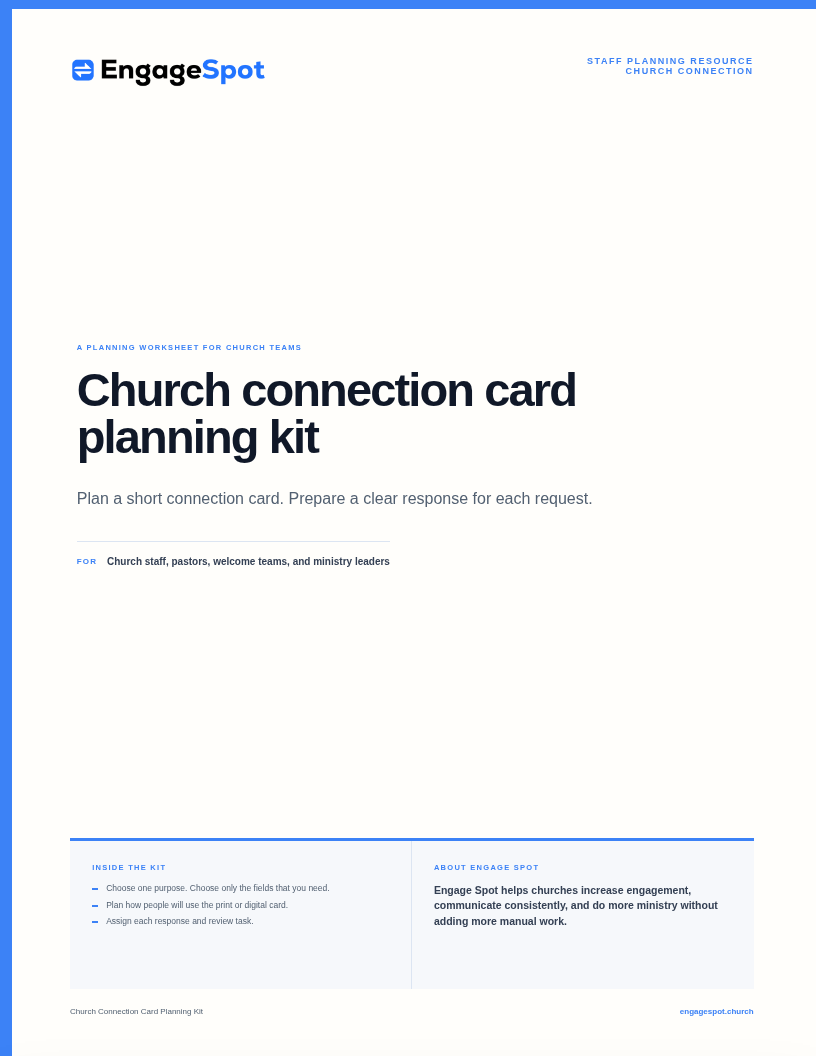
What should a church connection card include?
Most cards need four things:
- A clear purpose — why the church is asking someone to complete the card
- Enough contact information to respond — not every detail the church might eventually want
- A relevant question or next step — what the person wants help with
- A clear expectation — who will respond and how communication will continue
The most useful test for any field is:
What will our church do differently because we know this answer?
If no one can give a clear answer, remove the field.
Contact information
Ask for the contact method your team is prepared to use. If your church normally responds by email, an email address may be enough. If the person asks for a call or text, a mobile number is necessary. You do not always need to require both.
Consider making only the minimum needed fields required. A person asking an initial question may not be ready to give the church a full profile.
Ministry interest
Keep choices current and specific. Good options are recognizable actions:
- Learn about baptism
- Find a group
- Attend a newcomer gathering
- Learn about serving
- Ask for prayer
- Speak with a pastor
Avoid vague options such as “Get connected” when the entire card is already about connecting. Tell people what can actually happen next.
An optional open question
An optional field such as “Anything you would like us to know?” gives someone room to explain a question that does not fit your checkboxes.
Do not make an open question required. Some people need only a simple event link or ministry introduction.
Communication choices
A card response and permission to receive ongoing church messages are not always the same thing. Make the choices visible rather than hiding them inside a submit button.
Examples:
- You may email me about my response.
- You may text me about my response.
- I would like to receive the weekly church email.
- I would like occasional text updates from the church.
Use wording that accurately describes what your church will send. A request for information about baptism should not silently become a subscription to every church announcement.
Privacy and communication requirements vary between Canada and the United States and between different types of messages. Follow the rules that apply to your church and have your privacy or legal adviser review the final process where appropriate. As a general principle, Canada’s Office of the Privacy Commissioner says organizations should make the purposes for collecting and using information clear in understandable language. Its guidelines for meaningful consent are a useful reference for Canadian churches reviewing their forms.
What should a church connection card not ask?
A first connection card is not a membership application, pastoral-care assessment, background check, or household census.
Think carefully before asking for:
- Full birth dates
- Names and birth dates of every child
- Marital status
- Full mailing address
- Detailed medical information
- Detailed spiritual history
- Employment or income information
- Demographic information the church does not need to respond
- Sensitive prayer or pastoral information in a form broadly visible to staff or volunteers
Some of this information may become appropriate later for a specific ministry purpose. Collect it at that point, explain why it is needed, and limit who can access it.
Print, digital, or both?
There is no single format that works for every church or every person.
Printed church connection cards
Printed cards are visible without a phone, app, internet connection, or technical explanation. They can work well when:
- Cards and working pens are easy to reach
- The print is large enough to read
- There is enough room to write
- People know where to return the card
- Completed cards are collected and stored discreetly
- Someone enters or routes responses promptly
The main operational challenge is the handoff. Decide who collects the cards after each service, where they are kept, who enters the information, and which ministry leader receives each response. Do not leave completed cards on an unattended desk or in an open basket after the room empties.
Digital church connection cards
Digital cards can be completed on a phone before, during, or after a service. They can work well when:
- The form is designed for a small screen
- The page loads quickly
- The instructions are short
- People can reach it through a memorable link as well as a QR code
- The submission immediately reaches the right staff member
- The person sees a clear confirmation after submitting
Test the entire form on an ordinary phone. Check the font size, field types, error messages, consent choices, confirmation, and staff notification. A digital card is not finished when the form looks good; it is finished when the church can respond to a real submission.
A combined approach
Many churches can use a small printed card as the doorway to a digital form. The card may say:
New here? We’d be glad to help.
Scan the QR code or visityourchurch.ca/connect.
Keep a way for someone to respond without a smartphone. A host can offer a writable card, help someone find the form, or connect the person directly with the appropriate ministry leader.
What size should a printed church connect card be?
There is no required church connection card size. Choose a format based on what the card asks people to do and where it will be placed.
Common options include:
- Business card: 3.5 × 2 inches; suitable mainly for a QR code, short URL, and brief invitation
- Postcard: often 4 × 6 inches; provides room for a short writable form or larger instructions
- Rack-card or narrow insert: useful in seat backs, bulletins, welcome areas, or information displays
- Quarter-page card: provides more writing space but can become crowded if the church adds too many questions
Printers offer connection cards in multiple sizes rather than one universal standard. For example, Smartpress provides a 4 × 6 church connection-card template, while other church printers offer different formats. Before designing, confirm the finished size, bleed, safe area, paper stock, and file requirements with the printer your church will use.
For writable cards, choose an uncoated stock that works with ordinary pens. Print a sample at actual size and ask someone who did not design it to fill it out.
Church connect card design checklist
Whether you use Canva, another design tool, or a church printer’s template, check these details before printing:
- The purpose is obvious at a glance
- The church name or identity is visible
- Instructions use plain language
- Type is large enough to read
- Writable areas are large enough to use
- Required and optional fields are clear
- The QR code has enough contrast and clear space around it
- A short URL appears beside the QR code
- The card explains where to return a printed response
- The card sets a reasonable expectation for follow-up
- Consent choices are visible and understandable
- The design works in the lighting where people will use it
- The printed card has been tested with the pens the church provides
- The QR code and URL have been tested after printing
Avoid putting essential instructions only in faint text, on a busy photo, or in a colour combination that is difficult to read. A connection card is a working ministry tool, not only a branding piece.
How to use a QR code on a church connection card
A QR code should lead directly to the connection form, not to the church homepage where a visitor must search again.
Use a short church-owned URL beside the code, such as:
yourchurch.ca/connect
That gives people another way to reach the form and allows the church to redirect the URL later if the form platform changes. The URL is also easier to say during a service than a long software-generated address.
Before printing or displaying the code:
- Scan it from the design file.
- Print a sample at the final size and scan it again.
- Test it on more than one phone.
- Test it from the distance at which it will appear on a slide or sign.
- Confirm that it opens the correct page without requiring a login.
- Submit a test response and verify the staff handoff.
A QR code on a presentation slide may be useful before or after a service, but do not assume everyone can scan it while it is briefly visible. Keep the short URL on screen and make cards or signs available elsewhere.
How to introduce a connection card during a church service
Do not only say, “Fill out our connect card.” A visitor may not know what that means or what the church will do with the information.
Use a short explanation:
If you’re new today, we’d be glad to answer a question or help you learn about the church. You can scan the QR code on the card in front of you or visit
yourchurch.ca/connect. Share only what you’re comfortable sharing, and our welcome team will respond this week.
For a next-step card:
If you’d like to learn about baptism, groups, serving, or another next step, use the connection card in front of you. Choose what you’re interested in, and the appropriate ministry leader will contact you.
For prayer:
If you would like prayer, use the prayer option on our connection card. You can tell us whether the request should be seen only by pastoral staff or shared with our prayer team.
Make sure the spoken promise matches the real process. Do not say “a pastor will call tomorrow” unless the pastoral team has agreed to do that.
What should happen after someone submits a church connection card?
Design the response process before publishing the card.
1. Confirm that the card was received
For a digital card, show a clear success message. If the person chose email or text, a short confirmation can repeat what happens next.
Example:
Thanks for reaching out. A member of our welcome team will review your message and respond within two church-office days.
Use a timeframe your team can consistently meet.
2. Route the response by what the person requested
Do not send every card to every ministry leader. Create clear routes:
- First-time guest → welcome or connections team
- Prayer request → pastoral staff or prayer team according to the person’s choice
- Baptism → pastor or baptism coordinator
- Group interest → groups leader
- Serving interest → relevant ministry leader
- Children or youth question → designated ministry leader
- Pastoral-care request → authorized pastoral staff
3. Keep the original context with the response
The leader should know why the person reached out before sending a message. “You asked about small groups” is more personal and useful than a generic welcome sequence.
Engage Spot digital church connection cards can keep a person’s answers and communication choices with their contact record, notify staff, send an email or text confirmation, and support personal text follow-up based on what the person requested.
4. Respond personally
Automation can confirm receipt and notify staff, but a ministry response should reflect what the person actually shared. Answer the question, introduce the right leader, provide the requested information, or acknowledge the prayer need with care.
5. Close the loop
The card owner should be able to tell whether the response was received, routed, and handled. A weekly review can identify unanswered cards, unclear ownership, or ministry choices that no longer have an active follow-up path.
For a complete staff process and adaptable message templates, use the church visitor follow-up plan .
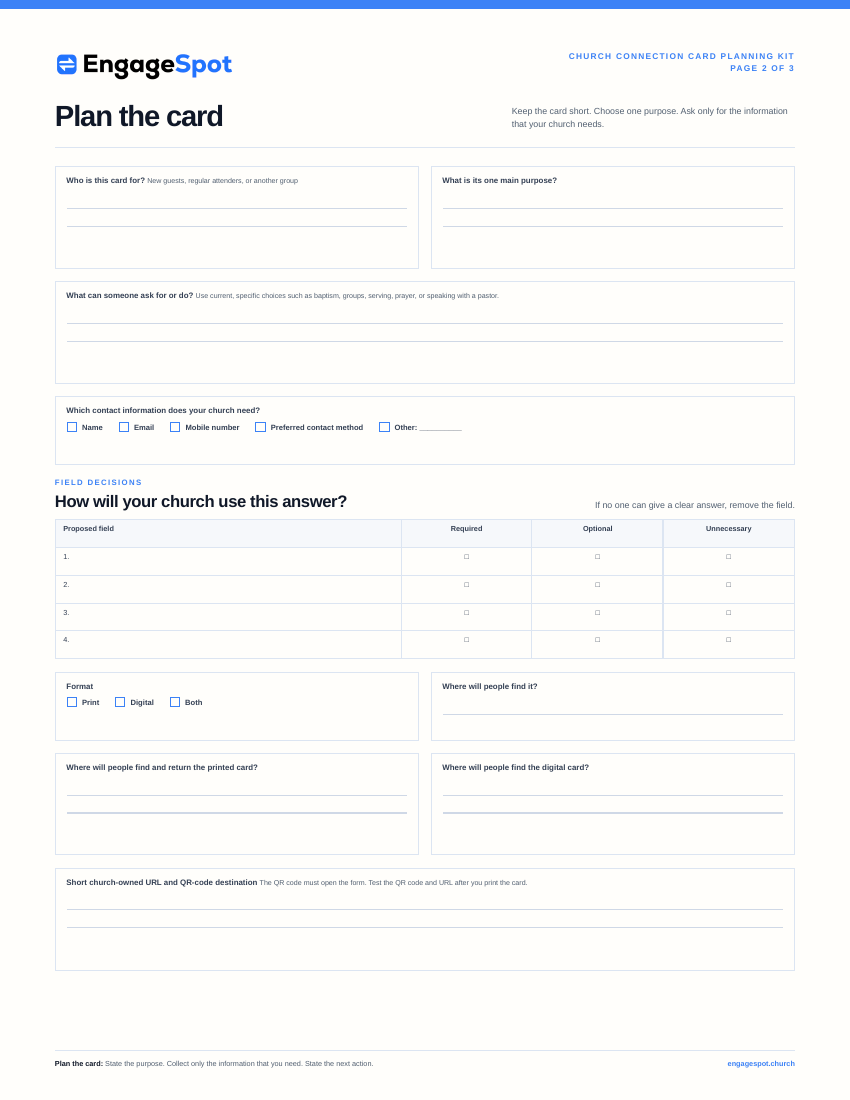
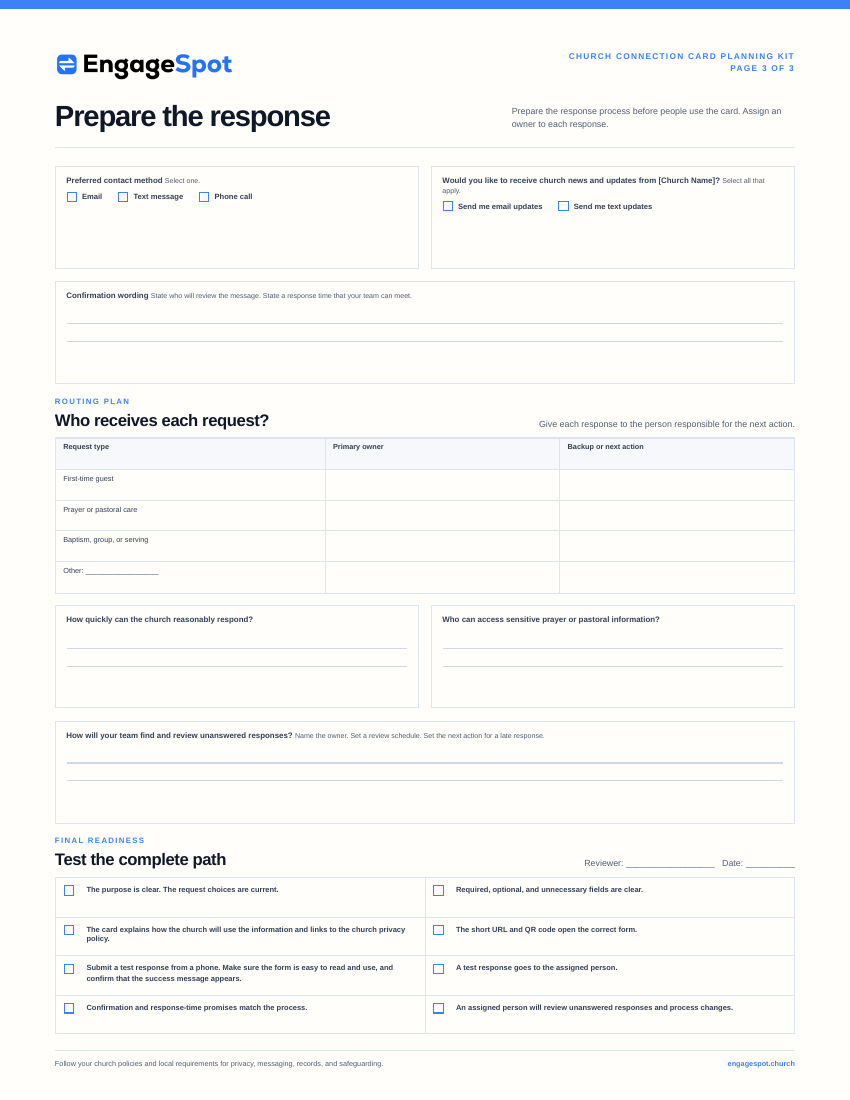
Preview the church connection card planning kit
Use this short table to begin the discussion. Use the full Church Connection Card Planning Kit when your team is ready to write its answers and test the process.
| Planning question | Your church’s notes |
|---|---|
| Who is this card for? | |
| What is its one main purpose? | |
| What can someone ask for or do? | |
| What contact information does the church need? | |
| Which contact and update choices will the card offer? | |
| Who receives each response? |
Connect this card plan to the church’s broader communication plan . Use the church event planning checklist when the card points to an event or registration.
Frequently asked questions
What is a church connection card?
A church connection card is a short printed or digital form that helps a visitor or attender ask a question, request prayer, express ministry interest, or take another church next step. It should connect each response to a clear staff or ministry follow-up process.
What information should be on a church visitor card?
Ask for the minimum contact information needed to respond, the reason the person is reaching out, their preferred contact method, and any clear communication choices. Avoid collecting a full household or membership profile on an initial visitor card.
Should a church connection card be digital or printed?
Either can work. Printed cards are visible and do not require a phone. Digital cards reduce handwriting and data-entry problems and can route responses quickly. Offering both can give people a practical choice.
Should every field on a digital connect card be required?
No. Require only what the church needs to act on the submission. Interest, comments, and other personal details can often remain optional. Prayer cards may also allow anonymous requests if the church is prepared to receive them.
Where should a church put its connection card?
Place it where people naturally look for a next step: seat backs or printed materials, the church website, a welcome area, event pages, presentation slides, or a short link shared during the service. Wherever it appears, explain why someone might use it.
How often should a church update its connection card?
Review it whenever ministries, staff ownership, communication practices, privacy requirements, or next steps change. Test the card and follow-up workflow regularly so the church does not continue inviting responses to an outdated or unmonitored process.
Make the card easy to trust and easy to act on
A useful church connection card makes a modest promise: tell us how we can help, and the right person will respond with care.
Keep the questions focused. Use plain language. Explain communication choices. Protect sensitive information. Give every response an owner. Then test the entire path—from the card or QR code to the ministry leader’s reply.
The design matters, but the follow-up is the ministry.