Church visitor follow-up is part of church hospitality. It must not become a marketing campaign after a visitor leaves the building.
A useful follow-up process does three things:
- It confirms that the church received a visitor’s message.
- It responds to the visitor’s question, prayer need, or next step.
- It gives the visitor a simple way to continue or end the conversation.
Do not send the same messages to every visitor. A visitor who asks about children’s ministry needs information about that ministry. A visitor who asks for prayer needs a private response. Do not call a visitor who gives only an email address. Let a visitor attend quietly if that person does not ask for contact.
This guide gives you a church visitor follow-up plan. It also gives you a staff process and templates for email, text, phone, voicemail, letter, and postcard messages.
Go directly to: First-week timeline · Email templates · Text templates · Phone script · Letter and postcard examples
If you are building or reviewing your follow-up process, use the free Church Visitor Follow-Up Kit . It helps your team plan the first response, adapt each message, assign ministry handoffs, and review completed follow-up.
A simple church visitor follow-up plan
Use this plan as a starting point. Adjust the schedule to match your church’s stated response time. Assign roles that your team can manage. Send only the messages that the visitor asked for or can reasonably expect.
| Stage | What happens | Owner |
|---|---|---|
| 1. Response received | Record the connection card, visit form, or direct message. Keep the visitor’s reason for connecting, preferred contact method, and communication choices with the record. | Welcome team or church office |
| 2. Receipt confirmed | Show an on-screen confirmation. Send a short email or text only when the visitor selected that method. State what will happen next. | Communication system or assigned staff member |
| 3. Personal response | An assigned person reads the message. That person sends a relevant reply within the church’s stated response time. | Welcome leader, pastor, or ministry leader |
| 4. Ministry handoff | Send each question, prayer need, or next step to the correct authorized leader. This includes follow-up about prayer, children’s ministry, groups, baptism, service, or pastoral care. | Follow-up coordinator |
| 5. Invitation or answer | Answer the question. If useful, offer one relevant next step. Do not send a list of unrelated programs. | Assigned leader |
| 6. Follow-up check | Confirm that the visitor received the agreed care or information. If the visitor did not ask for more contact, end the process after the agreed response. | Follow-up coordinator |
| 7. Review | Find missed follow-up, duplicate messages, unclear duties, and old templates. | Staff or welcome-team leader |
Set a response time that your church can meet. Then keep that promise. If your connection card says, “A pastor will respond within two church-office days,” assign a pastor who can respond in that period. Do not promise a Monday reply if the church office is closed on Monday.
Free printable PDF
Download the Church Visitor Follow-Up Kit
Use the five-page kit to plan the first response, adapt email, text, and call templates, assign ministry handoffs, and review the process.
Download the follow-up kit PDF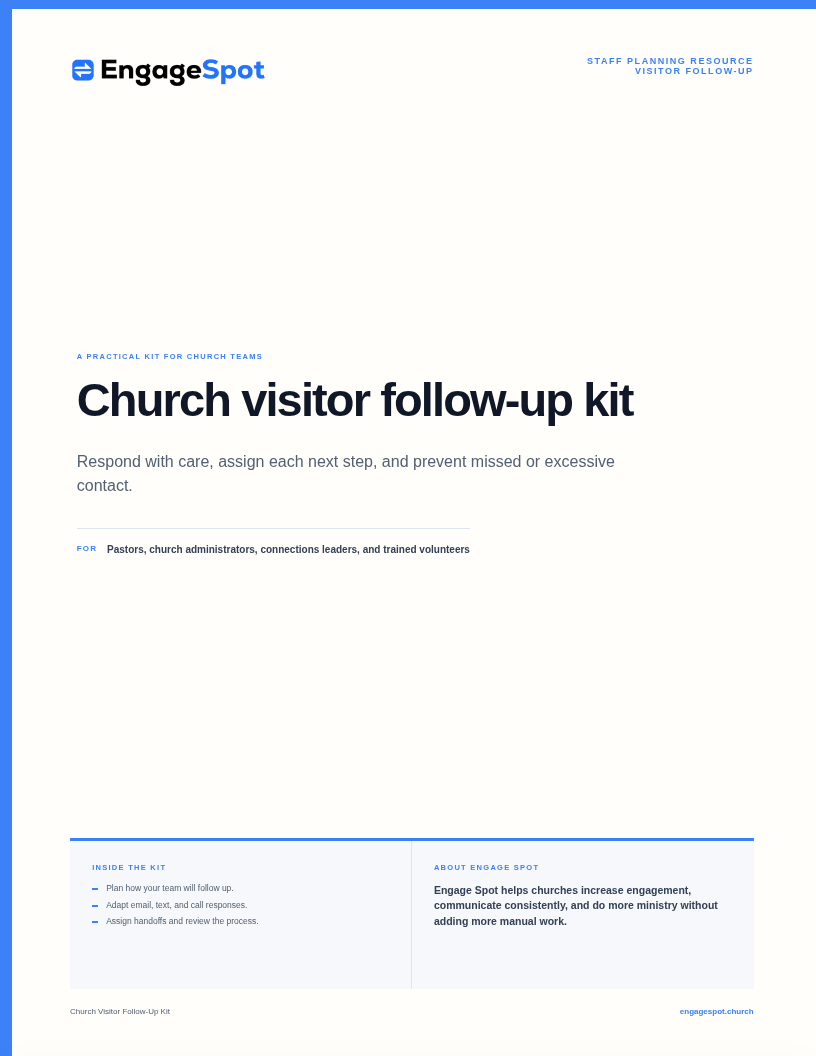
A respectful first-week visitor follow-up timeline
Many search results recommend a fixed series of calls, texts, emails, letters, and invitations. A fixed series can give a visitor more contact than expected. Start with a small number of messages. Send more messages only when the visitor asks for them or replies.
When the connection card is submitted
- Show a clear confirmation.
- Send a short receipt if the visitor selected email or text.
- State who will respond.
- State when that person will respond.
- Notify the staff member who is responsible for the follow-up.
- Do not use the confirmation as permission to send unrelated church messages.
During the next church-office day
- Read all information that the visitor gave.
- Check the visitor’s preferred contact method.
- Send one personal response.
- Answer the visitor’s question before you invite the visitor to an activity.
- Send prayer needs or pastoral-care follow-up to an authorized person.
- Record the person who is responsible for the next action.
Later in the week, if appropriate
- Send the agreed information.
- Introduce the relevant ministry leader.
- Offer one clear next step. For example, invite the visitor to a newcomer gathering or another service.
- If the visitor replies, respond to that reply. Do not continue with a fixed script.
After the first week
- Confirm that each ministry handoff is complete.
- Do not continue an automated series if the visitor did not reply or ask for more messages.
- Use the standard subscription process if the visitor subscribed to church updates.
- Give subscribers a simple way to unsubscribe.
- Update the visitor’s record when the visitor returns or takes a next step.
- Stop first-visit messages after you update the record.
The Lewis Center for Church Leadership describes effective visitor follow-up as prompt, personal, and pleasant . The article also tells churches to keep follow-up light and non-invasive. This principle is more useful than one fixed number of messages for all visitors.
Build the process before writing the messages
A clear email cannot correct a poor ministry handoff. First, decide how your church will receive each question, prayer need, or next step. Then decide who will assign, answer, and complete the follow-up.
1. Create one intake point
Visitors can identify themselves through:
- A printed or digital connection card
- A plan-your-visit form
- Children’s ministry check-in
- An event registration
- A newcomer gathering
- A conversation with a pastor, host, or ministry leader
- A prayer or next-step form
Do not automatically add information from each source to a marketing list. For example, a parent can give emergency information during children’s check-in. This action does not mean that the parent asked for church announcements. Keep the stated purpose and communication choices with the information.
Use one shared process for all follow-up. Church Answers advises churches to prevent separate ministries from contacting the same visitor independently.
Use the church connection card planning guide to select the information that you collect. The guide also explains how to describe the follow-up process.
2. Assign a follow-up coordinator
Assign one person to manage the process. Other ministry leaders can still respond to a visitor’s reason for connecting. The coordinator can be a pastor, administrator, connections leader, or trained volunteer. Give the coordinator access only to the information that the role requires.
The coordinator must be able to answer these questions:
- Which new questions, prayer needs, or next steps arrived?
- Did the visitor select email, text, or a phone call?
- Who is responsible for each response?
- Did the assigned person respond?
- Does the message contain sensitive pastoral information?
- Did the visitor receive the agreed information?
- Must the coordinator keep the follow-up open or close it?
The coordinator does not have to send every message. The coordinator makes sure that the welcome team, church office, and ministry leaders do not lose track of the follow-up.
3. Create a routing guide
Record the authorized owner for each type of follow-up.
| What the visitor shared | Appropriate owner | First response |
|---|---|---|
| General first-time visit | Welcome or connections leader | Thank the visitor, answer questions, and offer one simple next step |
| Question about beliefs or church practices | Pastor or designated ministry leader | Answer the question or arrange a conversation |
| Children’s or youth ministry question | Authorized ministry leader | Give the relevant information about ages, check-in, safeguarding, and programs |
| Prayer request | Pastoral staff or prayer team, based on the visitor’s choice | Confirm receipt and follow the church’s confidentiality process |
| Pastoral-care need | Authorized pastor or care leader | Respond privately and select the correct care process |
| Group interest | Groups leader | Explain how the visitor can learn more or meet a leader |
| Baptism interest | Pastor or baptism coordinator | Explain the church’s next step |
| Serving interest | Relevant ministry leader | Explain the role, requirements, and orientation process |
| Newcomer event interest | Event owner | Send the date, location, registration link, and event details |
Review this guide after a change to staff, ministries, or church processes.
4. Set communication boundaries
Tell each visitor why the church is making contact.
Use these boundaries:
- Use the contact method that the visitor selected.
- Refer to the visitor’s reason for connecting.
- Identify the sender and the church.
- Make it easy for the visitor to reply.
- Do not add a visitor to an unrelated list without the required choice or consent.
- Limit access to sensitive prayer and pastoral information.
- Stop contact when a visitor asks you to stop.
- Do not make repeated calls or send repeated messages when a visitor does not reply.
- Do not treat information for children’s safety, donations, or another administrative purpose as permission for visitor marketing.
Privacy and communication rules differ between Canada and the United States. Review the rules that apply to your church. Canada’s Office of the Privacy Commissioner recommends explaining each purpose in clear language and treating consent as an ongoing process . In the United States, the Federal Communications Commission states that the Telephone Consumer Protection Act restricts robocalls and robotexts without the recipient’s prior express consent or a recognized exemption. Review the FCC guidance and obtain qualified advice for your church’s specific communication practices.
Church visitor follow-up email templates
Adapt each template to the visitor’s reason for connecting. Use terms that are natural for your church. Send each email from a monitored address that accepts replies.
Email template 1: Simple first-time guest thank-you
Subject: Thank you for visiting [Church Name]
Hello [First Name],
Thank you for visiting [Church Name] on [day]. My name is [Name]. I serve as [role or ministry].
We were glad to welcome you. You can reply to this email if you have a question about the church. You can also tell us about a practical way that we can help.
[Optional: You asked for information about ______. Here is the information: ______.]
Thank you,
[Name]
[Role]
[Church Name]
Email template 2: Responding to a specific interest
Subject: Information about [group, baptism, serving, or ministry]
Hello [First Name],
Thank you for visiting [Church Name]. You asked about [specific interest].
[Answer the question or give the relevant information in two or three short sentences.]
The next step is [one clear action]. The details are here: [link].
Reply to this email if you want to speak with someone first. I will help you contact the correct person.
[Name]
[Role]
[Church Name]
Email template 3: Newcomer gathering invitation
Subject: Invitation to our next newcomer gathering
Hello [First Name],
Thank you for visiting [Church Name]. Our next newcomer gathering is on [date] at [time]. It will be at [location]. You can meet church leaders at this gathering. You can also ask questions and learn about the church.
The details and registration form are here: [link].
You do not have to attend. Reply to this email if you need different information.
[Name]
Email template 4: Prayer or pastoral-care response
Subject: We received your note
Hello [First Name],
Thank you for telling us how we can follow up. My name is [Name]. I am [role] at [Church Name]. I received your note about [use a short description only if appropriate].
[Give the appropriate acknowledgment or proposed next step.]
Reply to this email if you want to continue the conversation. You can also tell me a suitable contact method and time.
With care,
[Name]
Do not put sensitive information in an email subject line. An authorized person must review pastoral messages before the church automates them.
Church visitor follow-up text templates
Keep text messages short. Identify the sender and the church. Send a text only when the visitor selected text messages.
Text template 1: Confirmation
Hello [First Name]. This is [Name] from [Church Name]. We received your connection card. [Person or team] will respond by [time]. Reply here if you need to add information.
Text template 2: Personal welcome
Hello [First Name]. This is [Name] from [Church Name]. Thank you for visiting on Sunday. You asked about [specific interest]. Can I send you [relevant information]?
Text template 3: Event information
Hello [First Name]. This is [Name] from [Church Name]. Here are the details for the newcomer lunch that you asked about: [short link]. Reply if you have a question.
Text template 4: Prayer acknowledgment
Hello [First Name]. This is [Name], [role] at [Church Name]. I received your prayer request. Thank you for sharing it with us. [Brief appropriate acknowledgment.] Reply here if you want to talk.
Do not include confidential information in a text notification. The notification can appear on a locked screen. Use an approved private method for a sensitive conversation.
Church visitor follow-up phone call script
Call only when the visitor gave a phone number for a call or asked the church to call.
Opening
Hello [First Name]. This is [Name]. I am [role] at [Church Name]. Thank you for visiting us on [day]. Is this a suitable time for a short call?
If the time is not suitable, ask the visitor to select another time. The visitor can also select a different contact method.
Conversation
I am calling to thank you for visiting. Do you have a question about the church?
Use this question if the visitor asked about a specific subject:
You asked about [group, children’s ministry, baptism, prayer, or another interest]. What information do you need?
Listen to the visitor before you give options. Let the visitor decide whether to continue the conversation. Keep the call short if the visitor does not want a longer conversation.
Closing
Thank you for your time. I will [send the agreed information, introduce the ministry leader, or complete the agreed next action]. You can contact me at [method] if you have another question.
Church Answers’ phone-call guidance recommends five actions. Identify yourself at the start. Ask if the time is suitable. Focus on the visitor. Keep the call short unless the visitor wants to continue. Record the information that you need for the agreed action.
Church visitor follow-up voicemail script
Hello [First Name]. This is [Name], [role] at [Church Name]. I am calling to thank you for visiting. I also want to respond to your connection card. You do not have to call back. If you want to reply, you can contact me at [number or email]. This is [Name] from [Church Name]. Thank you.
Do not leave details about prayer, pastoral care, family matters, or other sensitive subjects in voicemail.
Church visitor follow-up letter template
A letter or handwritten card can be suitable when the church usually sends written notes. It can also be suitable when a visitor selected postal mail. Do not ask for a postal address only because your church usually sends letters.
Dear [First Name],
Thank you for visiting [Church Name] on [date]. We were glad to welcome you.
You asked for information about [specific interest]. [Include the relevant information or name the person who will respond.]
You can contact me at [phone or email] if you have a question. Service times and current information are available at [short church URL].
Thank you,
[Handwritten signature]
[Name and role]
Keep the letter short. Give the visitor the agreed help. Do not include a long list of ministries. Do not ask for a donation.
Church visitor follow-up postcard example
A postcard has little space. A postcard is not private. Use a postcard only for a general thank-you message. Never include information about prayer, pastoral care, children, or personal matters.
Front:
Thank you for visiting [Church Name].
Back:
We were glad to welcome you. Visit [short URL] if you have a question or want more information. You can also contact [name] at [general contact method].
[Church Name]
[Service time and address, if useful]
Engage Spot and connected visitor follow-up
Engage Spot church visitor follow-up software can keep a visitor’s connection card, interests, contact details, communication choices, and conversation history in one record. Staff can receive a notification after a visitor submits a form, send a confirmation by email or text, review the visitor’s reason for connecting, and continue the conversation by text.
Technology must support the ministry handoff. It must not replace a personal ministry response. A useful system shows the visitor’s question, prayer need, or next step to an authorized staff member. It also shows the contact method that the visitor selected. The staff member can then give a relevant personal answer.
Preview the Church Visitor Follow-Up Kit
Use this short checklist to begin the discussion. Use the full Church Visitor Follow-Up Kit when your team is ready to write its answers and test the process.
- Each person can choose how to connect.
- The church states what will happen next.
- A named person manages each ministry handoff.
- The team uses the selected contact method.
- Sensitive information goes only to authorized people.
- The team reviews missed, duplicate, or excessive follow-up.
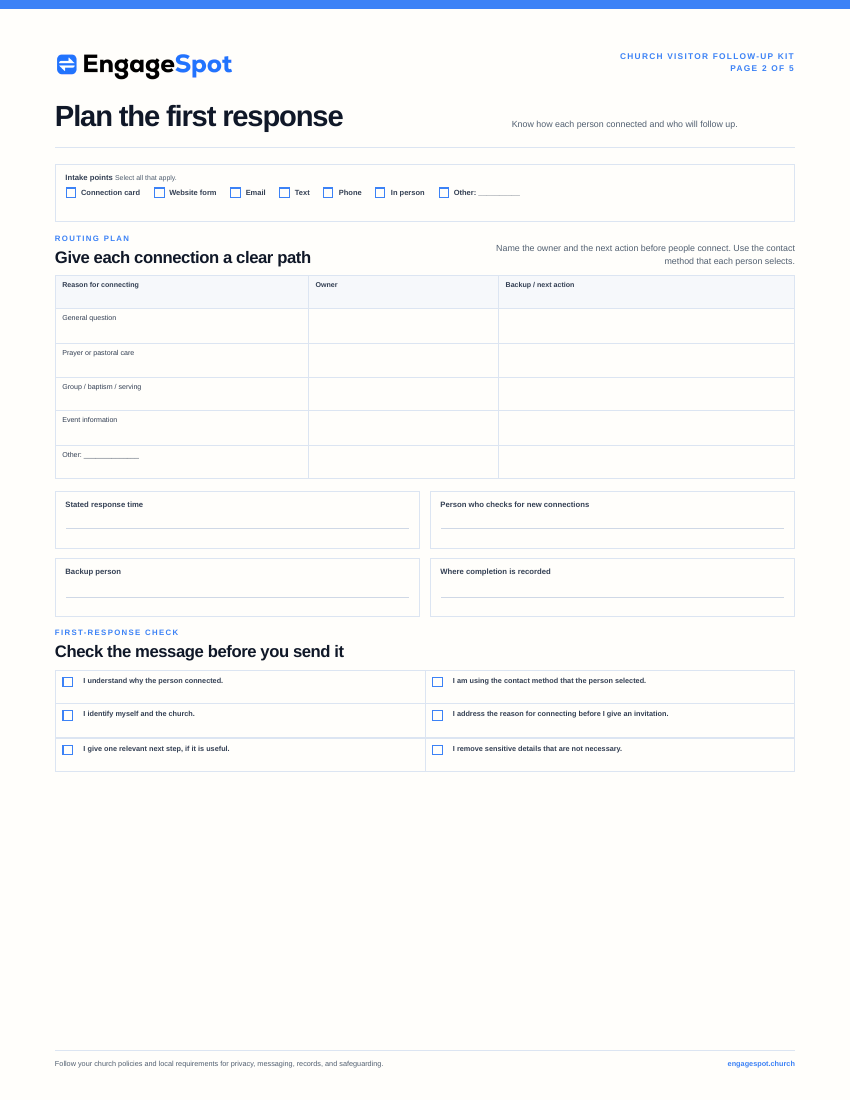 Page 2 Plan the first response
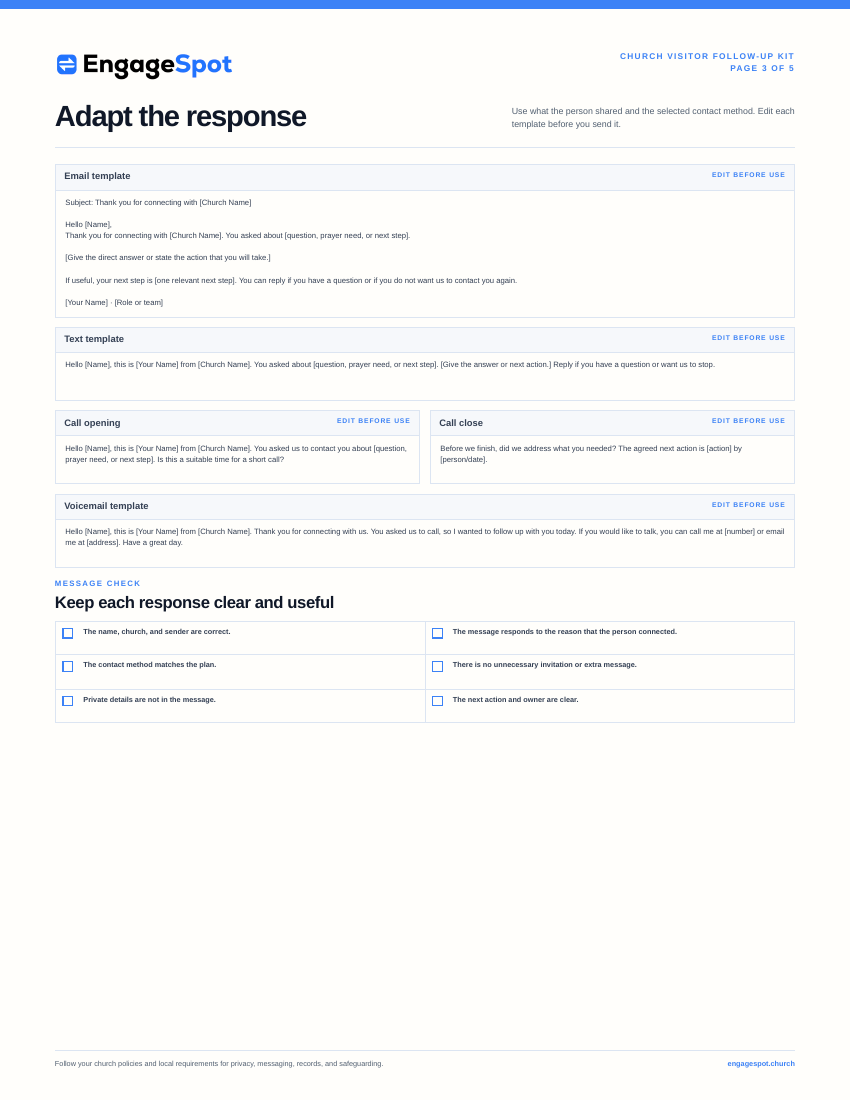 Page 3 Adapt the response
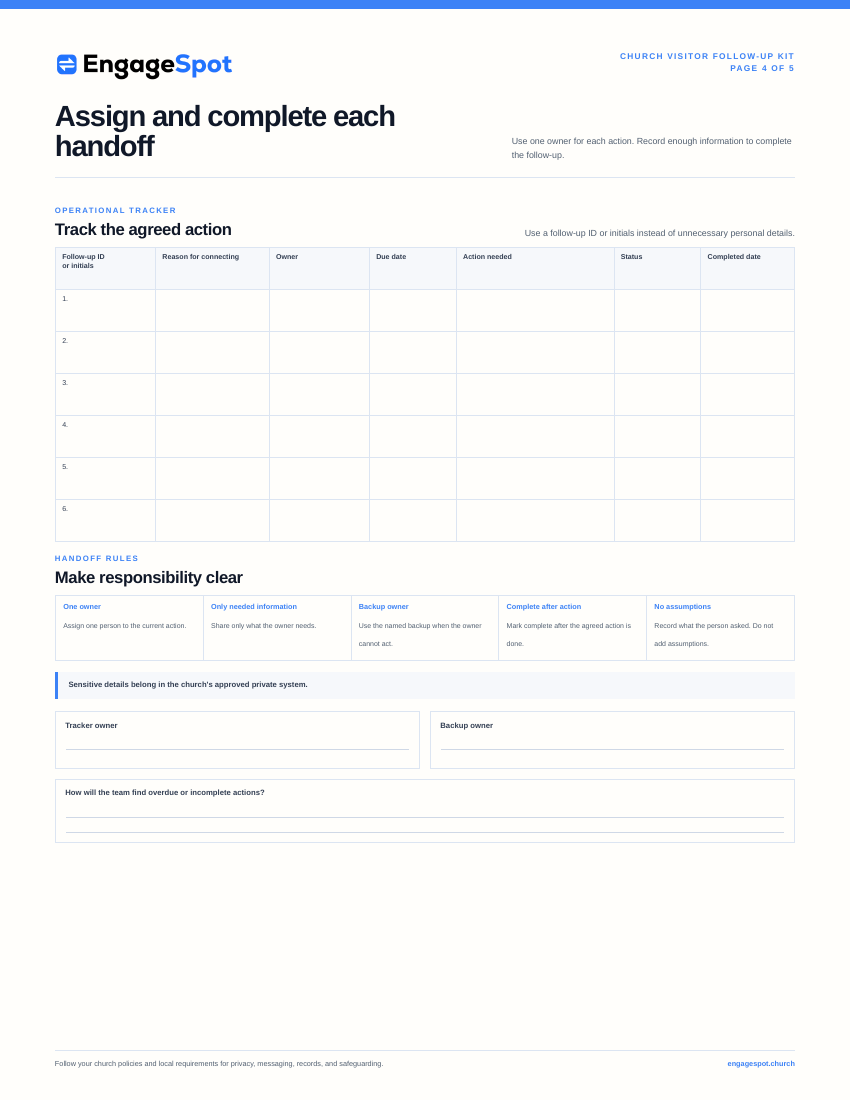 Page 4 Complete each handoff
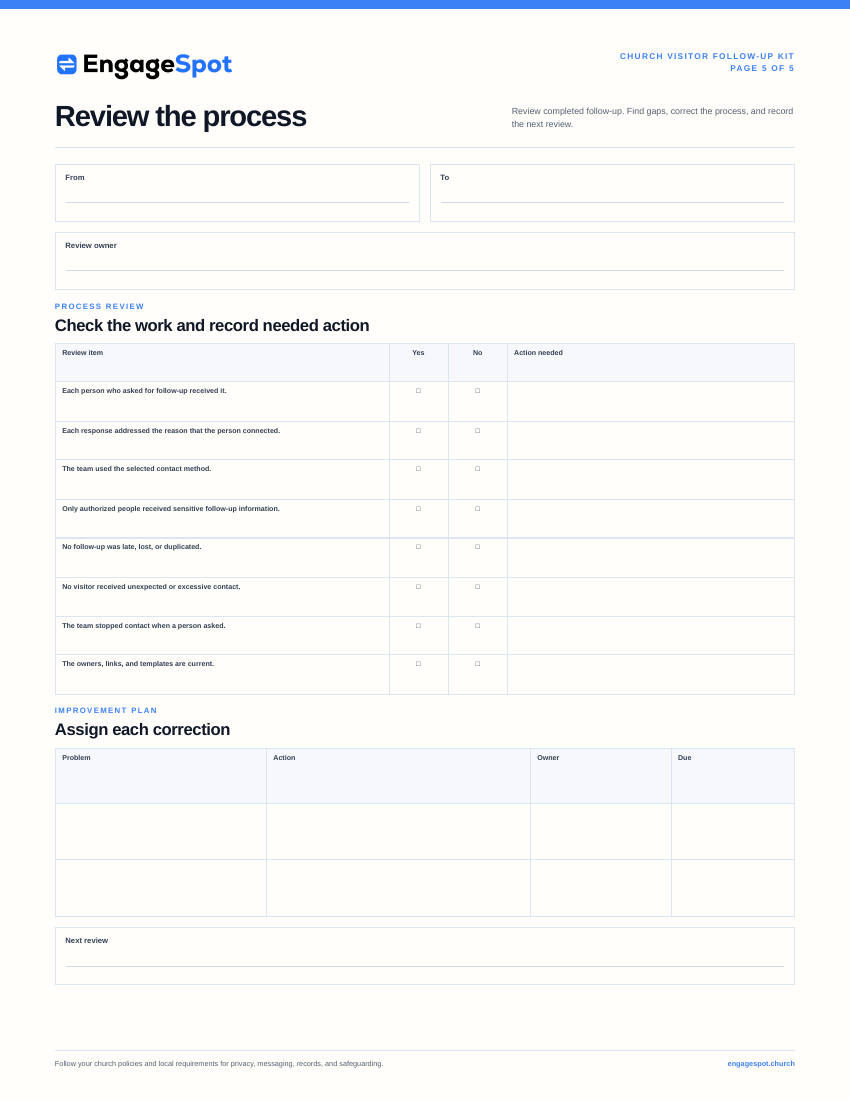 Page 5 Review the process
Connect this process to the church communication plan . If you invite visitors to a newcomer gathering, use the church event planning checklist . The checklist helps you align the invitation, registration, hospitality, and next steps.
How to know whether the process is working
Do not measure visitor follow-up only by the number of messages that the church sent. Do not measure it only by the number of visitors who returned the next Sunday.
Ask these process and pastoral-care questions:
- Did every visitor who asked for a response receive one?
- Did each response address the visitor’s reason for connecting?
- Did the authorized people manage prayer needs and pastoral follow-up?
- Did visitors receive duplicate or unexpected messages?
- Did ministry leaders complete the assigned handoffs?
- Which questions occurred more than once?
- Were any templates old or unclear?
- Did the church stop contact when a visitor asked the church to stop?
Review the process at an interval that your team can maintain. Review it sooner after missed follow-up, unwanted contact, or a change to staff or ministry responsibilities. The review can identify repeated problems. It can also identify information that is missing from the website, connection card, service announcement, or newcomer material.
Frequently asked questions
What is church visitor follow-up?
Church visitor follow-up is the church’s response when a visitor identifies themselves or gives a reason for connecting. The visitor can ask a question, share a prayer need, or ask for information about a church activity. The process includes confirmation, a personal response, a ministry handoff, and the action that the church said it would complete.
How soon should a church follow up with a first-time visitor?
Respond within the time stated on the connection card or confirmation. A fast response can be useful. However, the church must not promise a response time that it cannot meet. Many churches send an immediate receipt. They then assign a personal response for the next church-office day.
Should a church call every first-time visitor?
No. Call only when the visitor asked for a call or gave a phone number for this purpose. Some visitors can select email or text. Other visitors can choose not to receive direct follow-up.
How many follow-up messages should a church send?
There is no number that is correct for every visitor. Send a message to confirm that the church received the information. Respond to the question, prayer need, or next step. Offer one relevant next step when appropriate. Do not send a long series of invitations if the visitor does not reply or ask for more contact.
Who should follow up with church visitors?
Assign one coordinator to manage the process. Assign each response to the correct person. A welcome leader can answer general questions. Authorized leaders must manage follow-up about prayer, pastoral care, baptism, groups, children’s ministry, or service.
What should a church visitor follow-up email say?
Identify the sender and the church. Thank the visitor. Refer to the visitor’s reason for connecting. Answer the question or offer one relevant next step. Give the visitor a simple way to reply. Keep the first email short and personal.
Continue the welcome
When a visitor gives contact information, the church becomes responsible for the correct use of that information. Give the visitor a clear and relevant response. Respect the visitor’s communication choices.
Build a process that your team can follow. Keep the visitor’s reason for connecting with the contact record. Assign each ministry handoff to a named person. Use templates to prevent missed responses. Adapt each template to the visitor’s reason for connecting.
Visitor follow-up must not pressure a person to take part in the church. It must complete the action that the church promised when it invited the visitor to make contact.